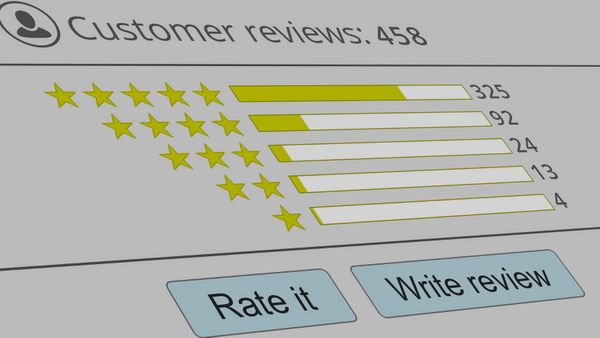
Get Google reviews for business the way Google's policies allow
How do you get Google reviews for business? Share your profile's review link with every customer, and offer nothing in return.

How do you get Google reviews for business? Share your profile's review link with every customer, and offer nothing in return.
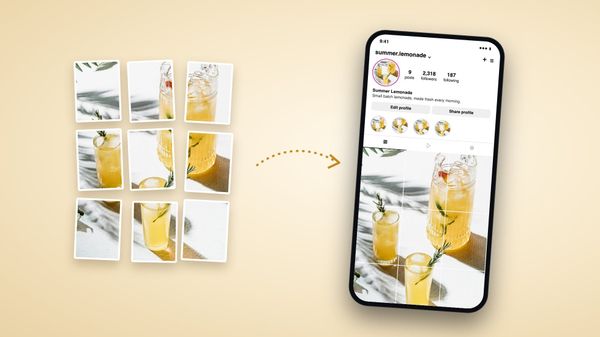
I split one photo into a 3x3 grid and posted it to a real Instagram profile to see what actually lines up in 2026. Here are 6 Instagram grid makers compared on grid sizes, tile shape, free use and whether they can post the tiles for you.

Can you see who viewed your LinkedIn? Yes: free accounts show the 3 latest viewers from 90 days, and Premium shows up to 365 days.

To go live on Instagram, swipe right, choose Live, add a title and tap Go live. You need a public account with 1,000+ followers.

Can't get your business on Google? Add or claim a Business Profile, verify it, and your listing shows on Search and Maps.

Stuck on what to post on LinkedIn? Share work lessons, industry takes, how-tos, milestones and polls; educate more than you sell.

Don't want them to know you looked? View LinkedIn anonymously by turning on Private mode; you show up only as a LinkedIn Member.

How do you get verified on Instagram? Subscribe to a paid Meta plan with the badge, or apply as a notable public figure or brand.

To edit Google Business listing details, select Edit profile on Search or Maps, change the field and save. Most show in 10 minutes.

Paying for LinkedIn Premium you don't use? Unsubscribe a day before billing; paid plans run to the cycle end, trials stop at once.

Unblock someone on LinkedIn in Settings & Privacy, Visibility, Blocking: click Unblock. You then can't block them again for 48 hours.

Deleting a Google Business Profile ends your access, not the listing: only a primary owner can remove it, and Maps can keep the place.

Someone crossing a line? Block someone on Instagram from their profile: tap the three dots, tap Block, and pick how far the block reaches.

To add music to an Instagram post, tap Add music on the sharing screen, pick a song, trim the clip with the slider, then share.

To add a link to an Instagram story, open Stickers in the story editor, choose Link, paste your URL, customize the text and share.