Can you see who viewed your LinkedIn profile on free or Premium?
Can you see who viewed your LinkedIn? Yes: free accounts show the 3 latest viewers from 90 days, and Premium shows up to 365 days.


Yes, and the answer to how much you see depends on two things: your plan and your own privacy setting.
Short answer: yes. Open your profile and click the profile views number in the Analytics section. A free account shows your three most recent viewers from the last 90 days, and Premium Career or Business shows the full list for up to 365 days. The catch: on a free account, you only see viewers if your own viewing setting shows your name and headline, and nobody, Premium included, can see viewers who browse in private mode.
Below: where the list lives, exactly what each plan shows, and why some viewers appear only as "LinkedIn Member."
How to see who viewed your LinkedIn profile
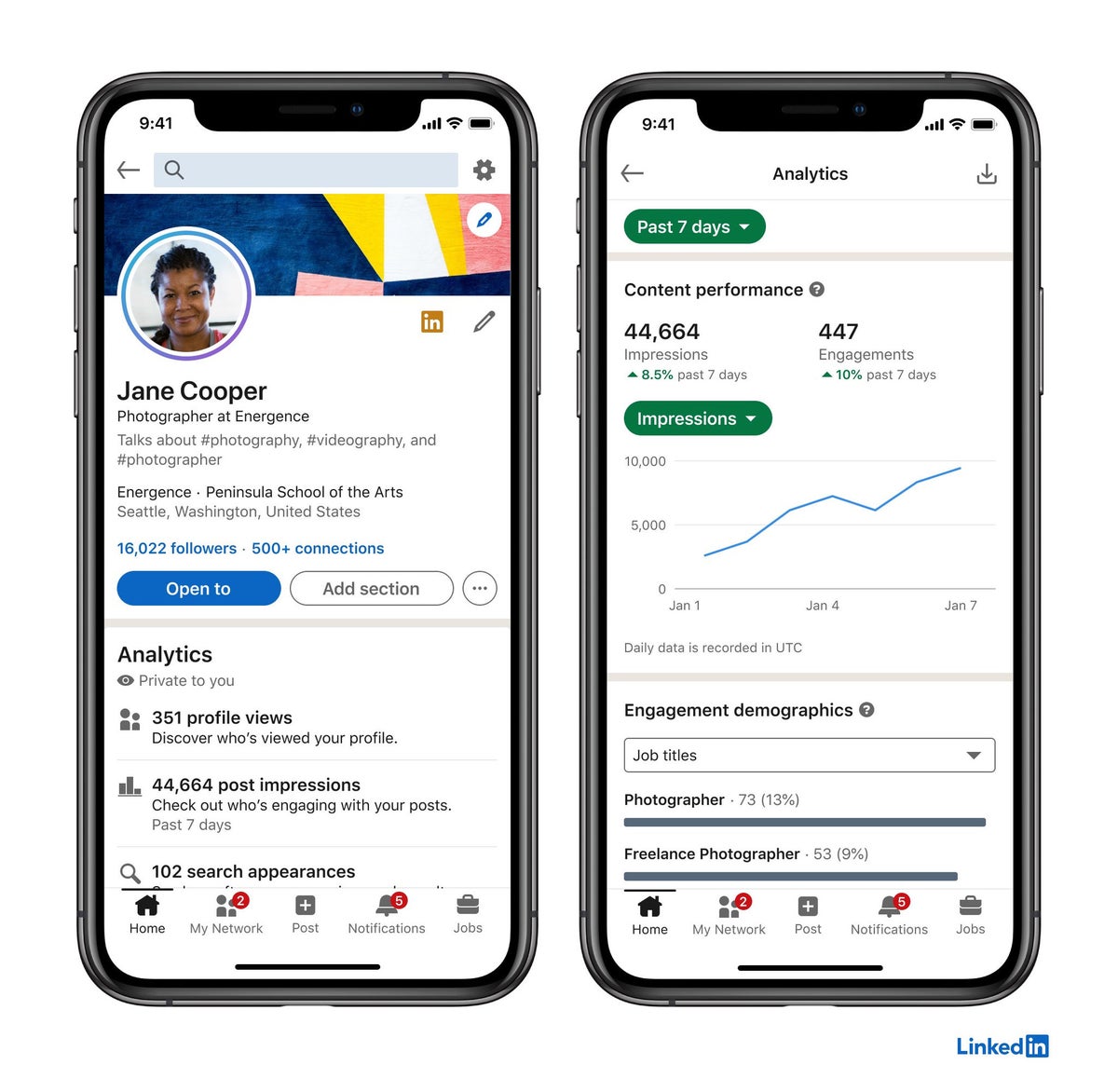
LinkedIn's page on accessing Who's viewed your profile puts the list in your profile's Analytics section.
- Click the Me icon at the top of your homepage.
- Click View Profile.
- Find the Analytics section on your profile.
- Click [Number] profile views to open the list.
The mobile app follows the same path through your profile, so you can check it from your phone just as easily.
What a free LinkedIn account shows
On a Basic account, the list is short. LinkedIn's page on the differences between Basic and Premium says you see the three most recent viewers in the last 90 days.
You also get some summary insights, even without names:
- How many people viewed your profile.
- Where your viewers work.
- How they found you.
- Their job titles.
There are no filters and no trend graphs. It's a snapshot, not a history.
For many people, that's enough. Three names and a sense of which companies are looking can tell you whether a recruiter push or a recent post is working.
The setting that can hide your own viewer list
Here's the rule that catches free users out.
You only see your viewers if your own viewing setting is Your name and headline.
LinkedIn says that on a Basic account, browsing in private mode means you won't be able to see who's viewed your profile either. The anonymity works both ways.
So if your list suddenly looks empty, check the setting before assuming nobody visited. Go to Me, Settings & Privacy, Visibility, then Visibility when viewing other profiles.
Getting the most from the free three-viewer list
Because a free account shows only the three most recent viewers, new visits push older ones off the list.
That changes how you should use it. If you check once a month, you'll only ever see the last three people, and anyone before them is gone from view.
Checking more often, for example after you publish a post or send out applications, catches viewers while they're still in the top three. It costs nothing, and it's the only way to see more than three names without paying.
What LinkedIn Premium adds to profile viewers
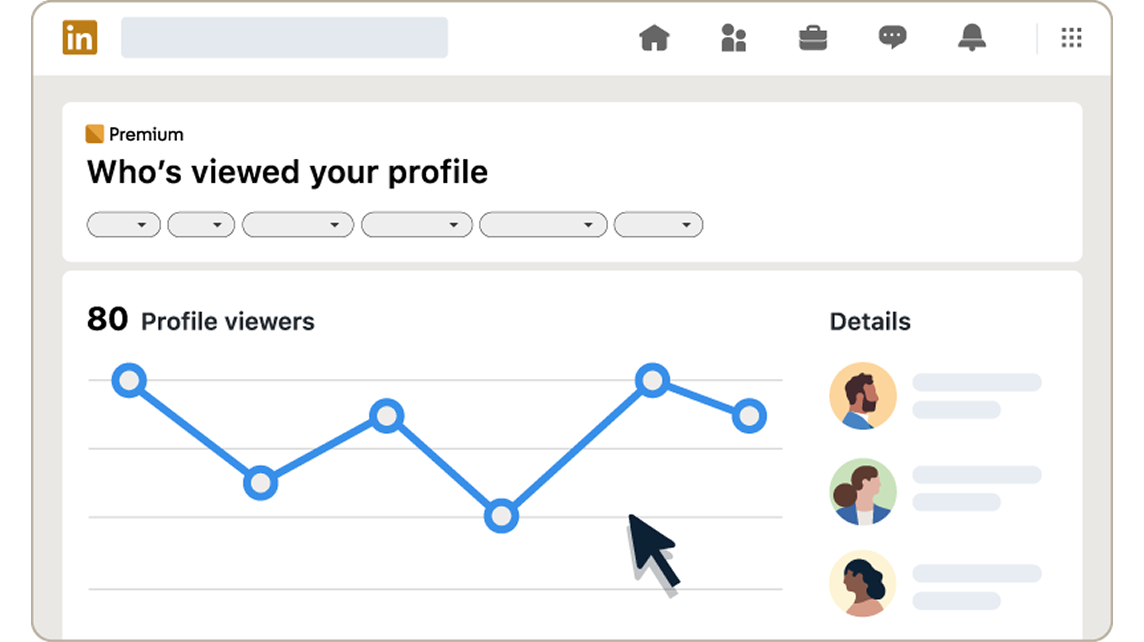
Premium Career and Premium Business turn the snapshot into a full record. LinkedIn says they give you up to 365 days of viewer data and the full list of viewers for that period.
The date range starts at 90 days by default, and you can extend it to 365.
Premium also changes the private-mode trade-off. A Premium member can browse in private mode and still see their viewers from the last 90 days.
Premium filters and analytics for viewers
The longer list comes with tools to sort it. Premium adds:
- A weekly viewer trend graph.
- Filters by date range, Interesting viewers, Company and Industry.
- A Show more analytics option with top locations, industries and companies.
- Most recent and Most relevant tabs.
The filters are where the value is. Filtering by company tells you whether a firm you applied to has looked you up. Filtering by industry shows which sectors are paying attention.
Why some viewers show as "LinkedIn Member"
Not every viewer shows a name. LinkedIn's page on viewing visibility settings explains that each member chooses how they appear when viewing profiles:
- Your name and headline: you see their name, headline, location and industry.
- Private profile characteristics: you see a description, such as "Someone at Accenture."
- Private mode: you see only "LinkedIn Member."
So a list with several anonymous entries isn't a glitch. Those viewers chose to browse privately or semi-privately.
Can anyone see who private-mode viewers are?
No. Private-mode viewers stay anonymous for everyone, whatever plan you're on.
Premium doesn't unmask them. LinkedIn is clear that even with a Premium account, you can't see the names of private-mode viewers of your profile. You also can't block them or make them reveal who they are.
The semi-private entries give you more to work with. "Someone at Accenture" won't name the person, but it does tell you which company is interested.
Viewing other profiles without showing up yourself
The same settings work in reverse. If you'd rather not appear in other people's viewer lists, you can choose how you show up when you look at their profiles.
It's worth understanding exactly how you can view LinkedIn profiles anonymously before you switch, because on a free account it also hides your own viewer list.
Premium members don't face that trade-off in the same way. They can browse privately and still see who viewed them in the last 90 days.
Why your view count and the list don't match
The number of profile views is often higher than the list of names you can see. There are a few reasons:
- A free account shows only the three most recent viewers, however many there were.
- Private-mode viewers are counted but show as "LinkedIn Member."
- Members who viewed you before you blocked them stay in the count, but their details are hidden.
None of this means the count is wrong. It means the list shows who LinkedIn is allowed to show you.
A view can come from a search suggestion
Not every profile view is a deliberate visit. LinkedIn says that clicking a member's name in search suggestions opens their mini profile, and that's treated as a profile view that may result in a notification.
So some names on your list may belong to people who were searching for someone else and clicked your name in passing.
Read single views lightly. A pattern, such as several people from the same company in one week, tells you far more than one name on its own.
Is Premium worth it just to see profile viewers?
For most people, no. The viewer list alone rarely justifies a subscription that starts at US$39.99 a month for Premium Career.
It can make sense during an active job search. If you're applying to specific companies, seeing that one of them looked you up is useful information, and Premium Career bundles it with other job-search features.
The free month is a low-risk way to test it. Look at what your full viewer list tells you over a few weeks, then decide whether it changes what you do.
What to do with your viewer list
A viewer list is only useful if it changes what you do next. A few habits help:
- Check it after you post or apply. A spike in views often follows.
- Look at companies, not only names. A cluster from one firm is a signal.
- Don't message every viewer. A view isn't an invitation, and a note saying "I saw you viewed my profile" can feel intrusive.
If someone relevant keeps appearing, a normal connection request with a note about shared work is the better move.
How to stop Who's viewed your profile emails
LinkedIn sends emails about your profile views. If you'd rather not get them, use the Unsubscribe link in the footer of one of those emails.
That stops the emails without changing anything on your profile. The Analytics section still shows your viewers whenever you choose to look.
Who viewed your LinkedIn profile, in brief
You can see who viewed your LinkedIn profile from the Analytics section on your profile. A free account shows the three most recent viewers from the last 90 days, as long as your own viewing setting shows your name and headline.
Premium Career and Business extend that to up to 365 days, with filters, trends and extra analytics.
Private-mode viewers stay anonymous for everyone.
Open your profile's Analytics section now, check your own viewing setting, and see who has been looking.
Profile viewer FAQ
Does someone know if I look at who viewed my profile?
Checking your own list doesn't open anyone's profile. What can show up on their side is viewing their profile, including clicking their name in search suggestions.
Why does my viewer list say I have no viewers?
On a free account, check that your viewing setting is Your name and headline. In private mode, a Basic account can't see its own viewers.
How far back can I see my LinkedIn profile viewers?
Free accounts see the last 90 days, limited to the three most recent viewers. Premium Career and Business see up to 365 days.