What to post on LinkedIn: ideas from your own work that people read
Stuck on what to post on LinkedIn? Share work lessons, industry takes, how-tos, milestones and polls; educate more than you sell.


What should I post on LinkedIn?
Post what you know from your work: lessons from projects and setbacks, your view on industry news, practical how-tos, milestones and questions your peers care about. LinkedIn's own creator advice is to focus on specifics and lean into your expertise, so educate more than you sell.
Below: post ideas by type, the format that suits each one, and what to avoid.
Why deciding what to post on LinkedIn feels hard
Most people don't struggle to write. They struggle to pick a topic that feels worth posting.
The worry is usually one of three things: "nobody cares about my work", "I have nothing new to say", or "it'll look like bragging".
All three fade once you know what kind of posts people actually read on LinkedIn.
Those posts share one feature. They're specific. A post about a real problem you solved last week beats a general post about "the importance of communication" every time.
Your everyday work is your best source of LinkedIn content. You just need a few repeatable post types to put it in.
Share your professional journey
LinkedIn's creator hub page on LinkedIn content formats puts it plainly: "Sharing your professional journey, challenges and successes is a great way to connect with your audience and build trust."
That covers a lot of ground:
- A new role or project and what drew you to it.
- A skill you're learning and what's surprised you so far.
- A result you're proud of, with how you got there.
- A turning point, such as a career change or a decision that paid off.
The "how you got there" part matters most. Readers learn from the process, not the headline.
Lessons from mistakes and setbacks
Posts about what went wrong are often more useful than posts about what went right. They're also more believable.
Pick a real mistake: a launch that missed, a hire that didn't work out, a client you lost. Then say what you'd do differently.
Keep the focus on the lesson, not the drama. One short paragraph on what happened, one or two on what you learned, and a line on what you do now.
You don't need to name people or companies. The lesson travels without them, and you avoid putting anyone in an awkward position.
Your take on industry news and trends
LinkedIn's creator hub suggests sharing "your thoughts in a post around trending topics, industry news, or simply an engaging question."
The key word is thoughts. Reposting a news link adds little. Saying what it means for your field adds a lot.
A simple structure works:
- Name the news in one line.
- Give your view on why it matters, or why it doesn't.
- Say who it affects and what they should do.
A clear opinion, even a mild one, gets more replies than a neutral summary. Just make sure it's one you can defend in the comments.
How-to posts from your own expertise
The creator hub advice is to "focus on specifics" and "lean into your expertise to cover what you're uniquely positioned to talk about."
How-to posts do exactly that. Take a task you do well and explain it in steps: how you prepare for a client call, how you review a contract, how you structure a weekly report.
Short is fine. Three to five steps, each in a sentence or two, usually beats a long essay in the feed.
If you find yourself writing far more than a post can hold, that's a sign it belongs in a longer format, covered further down.
Milestones and celebrations
Milestones give your network a reason to congratulate you, and that tends to start conversations.
The LinkedIn post composer has a Celebrate an occasion option for exactly this. Use it for a new job, a work anniversary, a certification, or a team achievement.
Keep the post about more than yourself. Thank the people who helped, tag them where it fits, and say what the milestone means for your next step.
For teams, LinkedIn's advice to Page owners is to "celebrate company wins and milestones". The same instinct works on a personal profile when you share credit.
Polls and open prompts for your network
Sometimes the best post is a question. LinkedIn's creator guidance suggests you "ask questions about things you're genuinely interested in", then reply in the comments.
For a quick read of opinion, use a poll. LinkedIn's page on creating polls says a poll needs a minimum of two options and a maximum of four, and the default duration is one week.
Good poll questions are ones where you genuinely want the answer, and where your network's answer is interesting to them too. "Which of these tools does your team use?" works. A poll that only exists to drive clicks doesn't.
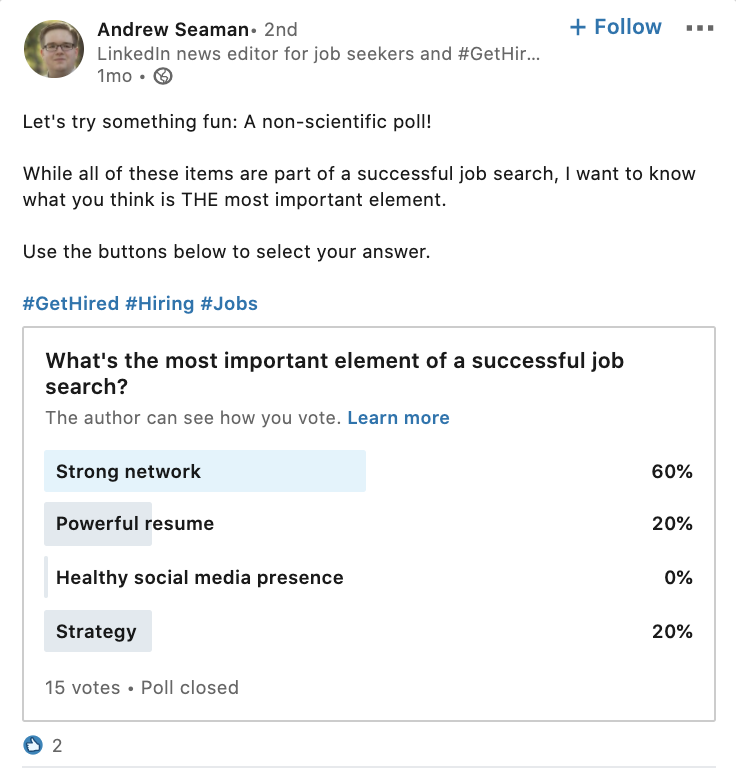
Follow up with a post on the results. That second post is often the more valuable one.
Document and carousel-style posts
LinkedIn's composer includes Add a document, which lets you upload a file that readers swipe through in the feed. People often call these carousels.
They suit content that works better as a sequence than as a paragraph: a framework, a checklist, a step-by-step process, or a before-and-after comparison.
Keep each page to one idea, with large text that reads well on a phone. The first page does the same job as a headline.
For inspiration, these LinkedIn carousel ideas and examples are a good place to start.
Video posts that people watch
Video works on LinkedIn, but a few habits make a big difference. LinkedIn's creator hub shares them:
- Add subtitles. LinkedIn says 85% of videos watched on LinkedIn are viewed on mute.
- Aim for 60 to 90 seconds.
- Open strong, since "the first three seconds matter the most."
Videos can run up to 15 minutes and 5 GB, but most posts don't need that.
Good video topics are the same as good text topics: a quick tip, a behind-the-scenes look at a project, or a short take on news in your field.
Image posts and accessibility
Images help a post stand out in the feed. LinkedIn's creator hub says you can add up to 20 images per post, and edit, tag and add ALT text to each.
Always add ALT text. It describes the image for people using screen readers, and it takes seconds.
Photos of real work tend to beat stock images: a whiteboard from a planning session, your team at an event, a chart from a project. They show the work behind the words.
Articles and newsletters for longer ideas
When a topic needs more than a feed post can carry, LinkedIn offers Articles and Newsletters.
Articles suit in-depth guides, case studies and opinion pieces. Newsletters let people subscribe to a series you publish regularly.
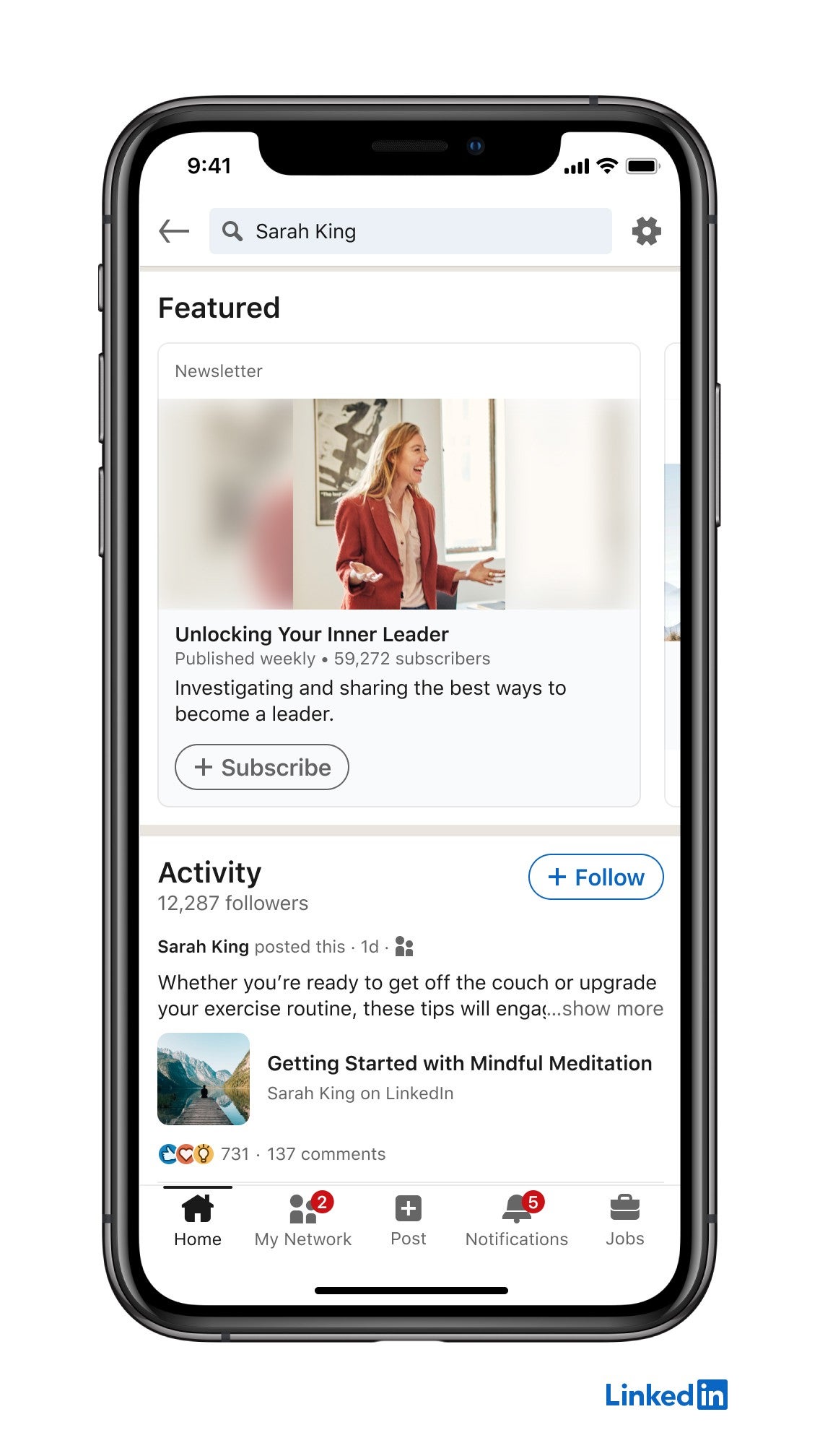
The feed post and the article work well together. Write the full piece as an article, then share a short post that pulls out the main idea and links to it.
What should you post on LinkedIn when you're job hunting?
When you're looking for work, your posts double as proof of what you can do. Recruiters and hiring managers may look at your recent activity.
Useful posts for job seekers include:
- A project you completed and the result it delivered.
- A skill or certification you've just earned.
- Your take on a trend in the field you want to work in.
- Lessons from a recent role, framed positively.
Avoid posts that complain about the job market or former employers. They're the posts people remember for the wrong reasons.
What not to post on LinkedIn
A few types of post work against you, and some break LinkedIn's rules.
LinkedIn's Professional Community Policies say "don't do things to artificially increase engagement", and that includes agreeing with others ahead of time to like or re-share posts. Engagement pods fall into that category.
LinkedIn's help page on posting and sharing updates also notes it may limit the visibility of posts that show excessive post creation or automation.
Beyond the rules, skip:
- Constant sales pitches with no useful content.
- Engagement bait such as "Comment YES if you agree."
- Personal content with no link to work or a lesson.
How to write the post once you know what to say
The idea is half the work. The writing decides whether anyone reads it.
Start with the point. The first line or two are what people see before they click to read more, so put the most interesting sentence there.
Keep paragraphs short, with space between them. Walls of text are hard to read on a phone.
End with a call to action. LinkedIn's creator hub recommends including one, such as a question for readers.
Then stay around to reply to comments, since conversation is what keeps a post going.
Your LinkedIn posting checklist
Before you post, check that it:
- Comes from your own work, experience or expertise.
- Makes one clear point, stated in the first line.
- Uses the right format: text, poll, document, video or article.
- Teaches or asks something, rather than only selling.
- Ends with a question or call to action.
Pick one post type from this article, write it about something that happened in your work this week, and post it.
LinkedIn content questions
How often should I post on LinkedIn?
Post as often as you have something useful to say, and avoid bursts. LinkedIn says it may limit the visibility of posts that show excessive post creation, so steady beats frequent.
How long can a LinkedIn post be?
LinkedIn posts can be up to 3,000 characters. For longer ideas, write an article and share it with a short post.
Is it OK to post about my own business on LinkedIn?
Yes, as part of a mix. LinkedIn's advice to Page owners is that "not every post should be about your business or product", and the same balance works for personal profiles.