
How to get your business on Google Maps and local search
Can't get your business on Google? Add or claim a Business Profile, verify it, and your listing shows on Search and Maps.


You get your business on Google by creating or claiming a Business Profile and passing verification. Everything else, the photos, the hours, the reviews, hangs off that one record.
How do you get your business on Google?
Create a Business Profile at business.google.com/add, or claim the listing that already exists for your business in Google Maps, then complete the verification method Google assigns you. Verified profiles are what place a business on Google Maps and in local search results.
Which of those two routes you take depends on whether a listing for your business already exists, and that is the first thing to check.
Your business may already be on Google
Check before you create anything. Listings can already exist for a business that never set one up, built from other sources or created by a former employee, a franchise team or a marketing agency that has since moved on.
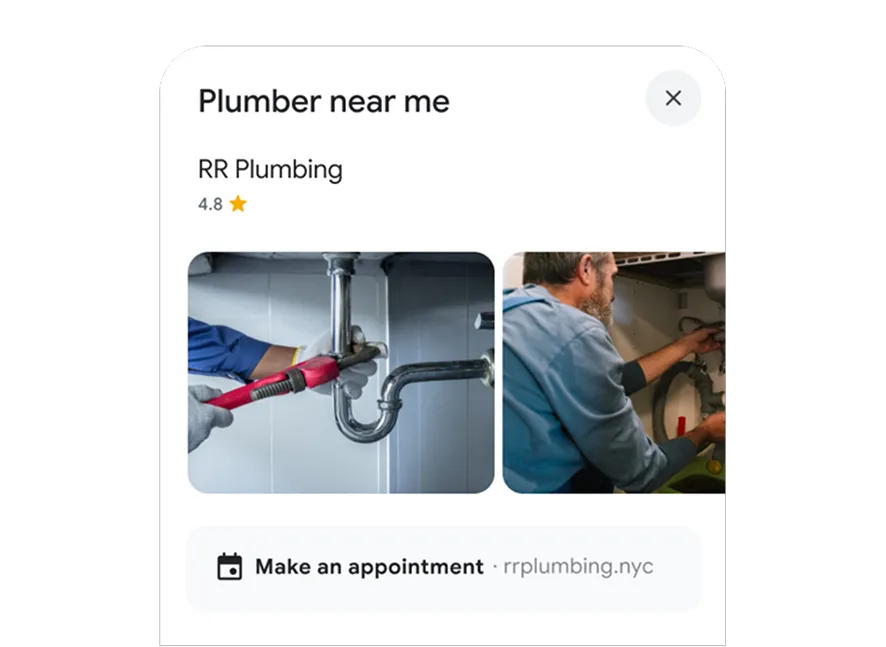
Search your business name and city in Google Maps and read what comes back:
- Nothing at all means you create a profile from scratch.
- A listing with a Claim this business link means it is unverified and yours to take.
- A listing without that link is already verified by someone, which is a different process.
Creating a second profile when one already exists is the mistake that costs the most time.
Google asks for one profile per business, and duplicates split reviews, photos and ranking signals between two records that then compete with each other.
The three routes onto a verified profile
Each route ends in the same place, a verified profile, but the first steps differ.
No listing exists yet
Google's own instructions for adding or claiming a Business Profile start at business.google.com/add.
- Open business.google.com/add and select Add your business to Google.
- Enter the business name, category, and address or service area.
- Pick a verification option and follow the steps shown.
An unverified listing exists
- Open Google Maps on a computer and search your business name and city.
- Select the listing, then choose Claim this business and Manage now.
- Select a verification option and follow the on-screen instructions.
The Google Maps mobile app runs the same flow under the About tab.
Somebody else already owns it
When a verified profile exists and you are the owner, Google's ownership request process applies. You enter the business at business.google.com/add, get a message that someone else may manage the profile, select Request Access and submit a form.
The current owner then has three days to respond, and there are three ways that ends:
- Approved, and the profile transfers.
- Denied, and you can appeal or suggest an edit.
- No answer inside three days, and you may be offered the option to claim the profile yourself and verify it.
That three-day clock is the part most owners do not know about, and it turns what feels like a dead end into a short wait.
What Google checks before it approves you
Eligibility is the first gate. A business qualifies if it has a physical location customers can visit, or if it travels to customers where they are. A rented mailing address you never work from does not qualify.
The business name is the second gate, and the strictest.
Google wants the real-world name from your signage, with no taglines, no store codes, no phone numbers, no URLs and no all-caps styling. "Holiday Inn (I-93 at Exit 2)" fails, because the location detail belongs in the address field. "Holiday Inn" passes.
Regulated and licensed work brings its own wrinkle, since the profile has to represent the entity that actually serves the customer rather than the brand above it. This breakdown of whether a licensed Medicare agent can make a Google Business account covers how that plays out for agents working under a larger agency.
Choosing your verification method, and passing first time
Verification options are assigned by Google, not selected by you. As Google's page on verifying your business puts it, the methods "are automatically determined by Google and can't be changed," and depend on business type, region, public information and opening hours.
What each one asks of you:
- Phone or text: answer the business line or receive an SMS code, with no automated answering system in the way.
- Email: use the address shown on the verification screen.
- Live video call: be at the business during opening hours, ready to show signage and staff-only areas.
- Video recording: film the same evidence on your own schedule, the method Google recommends when it is available.
- Postcard: wait for a mailed five-digit code, which most people receive within 14 days.
Passing a video verification
Video verification trips people up because it is not a tour, it is a chain of proof: where you are, what you do there, and that you control the place.
Signage, then equipment or products, then access to a back room or a till, filmed in one continuous take.
Some categories are asked for supporting paperwork on top of that.
Once you submit, Google reviews the profile for up to five business days.
Do not edit your name, address or category during that window, and never edit them while a postcard is in transit, because the code stops matching what you filed.
Who should own the profile inside your company
Put the profile under an account the business will still control in two years. Google separates access into owners and managers, and only an owner can add or remove users or delete the profile.
A practical split works like this:
- The founder or a permanent staff member holds primary ownership.
- The agency, the web developer or the office manager gets manager access.
- Every person uses their own Google Account rather than a shared password.
Managers can do nearly everything an owner can, including editing hours, replying to reviews and publishing updates.
What they cannot do is remove people or delete the record, which is exactly the authority you want to keep in-house.
A profile can have several owners but only one primary owner, and transferring that role requires another owner or manager already on the account.
Setting that up on day one is a five-minute job. Recovering a profile from a contractor who stopped answering emails is not.
What happens right after you submit
Google reviews the details you filed, and the profile is in a holding pattern until that review clears. A few habits keep the wait short.
Leave the name, address and category alone until you are verified. Each of those edits can restart a review, and on a mailed code it breaks the match between the postcard and your profile.
Resist requesting a second code. A new request cancels the one already travelling, which resets the clock rather than speeding it up.
Keep the phone line answerable. If Google follows up by phone or text, an unattended number turns a two-day verification into another method entirely.
Some profiles skip the wait completely. Verifying the matching website through Search Console can clear a profile instantly, which is worth checking before you accept a postcard.
After verification: the fields that decide whether you rank
Verification puts your business on Google. It does not make it the one people pick.
Local results reward profiles that answer the searcher's question inside the result itself, so the work after verification is filling in what a customer would otherwise have to call to ask:
- Hours, plus special hours for holidays and seasonal changes.
- A description of what you offer, written without links, which Google does not allow in that field.
- Photos of the premises, the team and finished work.
- Your services or products, each described in a line or two.
- Attributes that match how people filter, such as accessibility or parking.
Keeping those current is a monthly habit, not a launch task.
Sellers with an online storefront benefit twice, since a verified profile feeds the local pack that sits above organic results.
Service-area businesses need one extra decision
If you travel to customers, your coverage is a list, not a circle. Google's service-area rules allow up to 20 areas defined by city, postal code or region, and radius-based coverage is no longer editable for anyone who set it up that way.
The outer edge of that coverage should stay within roughly two hours of driving time from your base. Approved service-area edits can take up to 48 hours to show.
One more rule catches home-based businesses off guard: if customers never visit you, remove the address from the profile entirely and show only the areas you serve.
What it costs to leave this undone
Without a verified profile, your business is missing from the map results a nearby customer scrolls first, invisible to the "open now" filter, and unable to answer the questions a competitor's profile answers in one glance.
Someone else takes that call.
With one, you own the record: the hours are right, the phone number is yours, the photos are current, and the reviews accumulate under a listing you control rather than one nobody manages.
The setup is an afternoon. Create or claim the profile, get the name and category exactly right, choose the verification method Google offers you, and hold the details steady for the five business days that follow.
Then keep it alive. A profile that has not changed in a year looks, to the person comparing three options at nine in the evening, like a business that may not be there anymore.
Setup questions owners ask before they start
Can I get my business on Google without a physical shop?
Yes, if you travel to customers. Service-area businesses list the cities or postal codes they cover instead of a visitable address, and home-based owners remove the address so it stays private.
How much does it cost to get a business on Google?
Nothing. Adding, claiming and verifying a Business Profile is free, and Google states this on its own help pages. Any service charging for verification itself is charging for their time, not for access.
What if my request to take over a listing is denied?
You can appeal the decision, and you can still suggest edits to the profile in the meantime. If the current owner never responds within three days, you may get the option to claim and verify the profile directly.
How long before my business shows up on Maps?
Verification reviews take up to five business days, and profiles verified through Search Console ownership of a matching website can clear instantly. Postcard verification adds the delivery time before the review even begins.