Get Google reviews for business the way Google's policies allow
How do you get Google reviews for business? Share your profile's review link with every customer, and offer nothing in return.

The most repeated piece of advice about getting Google reviews for your business is to ask your happiest customers first.
Google's contribution policies classify that as fake engagement.
How do I get Google reviews for my business?
Generate the review link or QR code inside your own Business Profile, then share it with every customer you serve and offer nothing in return. Google documents the path as Read reviews, then Get more reviews, and its policies prohibit incentives and selective requests equally.
Below is the compliant version of each step, the channels that actually produce written reviews, and what to do when a review does not appear.
Why asking only your happy customers is a policy problem
Google's prohibited and restricted content policy names the practice directly. Merchants may not "discourage or prohibit negative reviews, or selectively solicit positive reviews from customers."
That sentence rules out a funnel a lot of businesses run without thinking of it as a trick.
The pattern is familiar:
- A follow-up message asks how the visit went.
- A positive answer leads to the Google review link.
- A negative answer leads to a private form that goes nowhere public.
It feels like customer service. It is filtering, and the policy treats it as such.
The same policy closes the other common shortcut. Offering "payment, discounts, free goods and/or services" in exchange for posting, revising, or removing a review is prohibited outright, which covers the prize draw, the loyalty point, and the free dessert alike.
Staff pressure appears there too. The policy names merchants who ask staff to solicit a certain number of reviews, or reviews containing particular content.
What the policy permits is the version with nothing attached to it: encouraging genuine experiences, without incentives and without steering the rating or the wording.
That is a narrower playbook than most marketing advice assumes. It is also the one that survives contact with Google's spam systems.
Where the review link comes from inside your Business Profile
The link is generated by Google, not assembled by you. Google's page on creating a Google link or QR code to request reviews sets the path: go to your Business Profile, select Read reviews, then Get more reviews.
From there you copy the link, or save the QR code that Google renders beside it.
One constraint on that page is easy to trip over. QR codes for reviews can currently be generated only in a computer browser, not on a mobile device, so the printed half of your campaign has to start at a desktop.
Google also names the routes it expects the link to travel: email, WhatsApp message, and Facebook post.
Those are suggestions, not limits. The link is an ordinary URL, and it works anywhere a customer can tap or scan.
How to ask for Google reviews without offering anything
The compliant ask is short, specific, and identical for everyone who walks through the door.
- Sign in to the Google Account that manages the profile and open your Business Profile.
- Select Read reviews, then Get more reviews, and copy the link or save the QR code image.
- Attach the link to a message the customer already receives, such as the receipt email or the completion text.
- Ask in person as the visit ends, and say plainly that leaving a review requires signing in to a Google Account.
- Send the same request to every customer, on the same schedule, regardless of how you expect them to rate you.
Step five is the one that carries the policy risk, and it is also the one that produces a believable review profile.
A page of nothing but five-star reviews reads as purchased to the exact audience you are trying to persuade.
For wording that does not sound like a form letter, this guide to how to ask for Google reviews collects phrasings that work in person and in writing.
Which channel actually gets the review written
Not every delivery method performs the same, because each one asks for a different amount of effort at a different moment.
- A direct link in an email or text is the lowest-effort route, since the customer taps once and lands on the review form.
- A printed QR code works where the customer is physically present and holding a phone: the counter, the table, the invoice.
- A verbal ask with no link attached depends on the customer searching for you later, which most people never do.
- A social post reaches people who may not be customers at all, which makes it the weakest of the four for review volume.
The pattern behind that ranking is proximity.
The closer the ask sits to the moment of service, and the fewer taps between the ask and the keyboard, the more reviews get finished rather than abandoned.
The sign-in step is where most abandonment happens.
Customers must be signed in to a Google Account to leave a review, and a phone that is not signed in turns a one-tap favor into a five-minute task.
Naming that step in advance costs you a sentence and recovers a real share of the requests you send.
What to do about a review you did not deserve
A bad review is not a reason to start filtering, and filtering would not remove it anyway. Reviews can only be taken down by Google, and only when they break a policy.
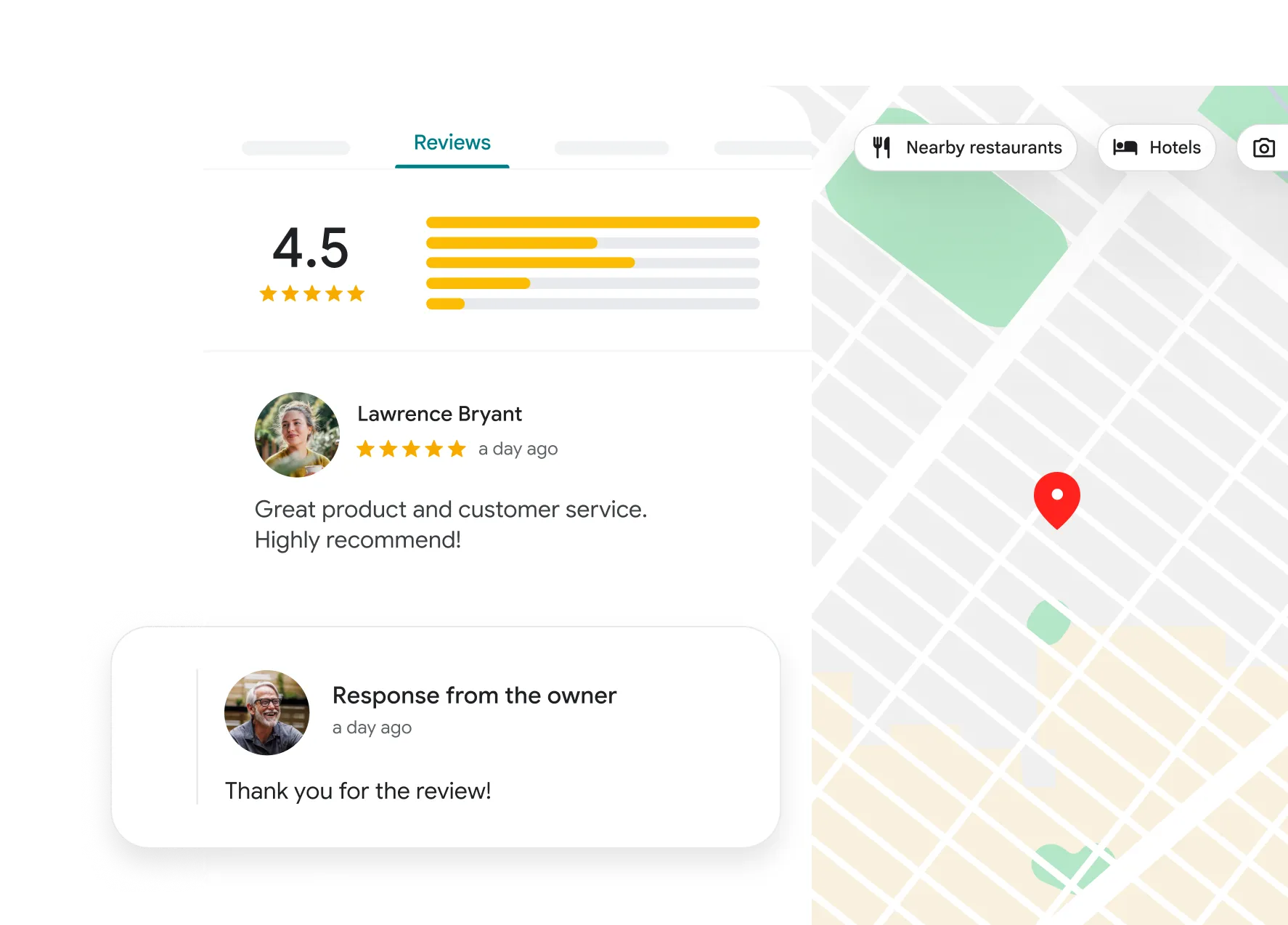
Flagging is the documented route. If a review violates Google's content policies, you can report it, and Google assesses it against the same rules that govern everything else on the profile.
Most negative reviews will not qualify. A customer who genuinely had a bad visit and said so is exactly what the system is designed to publish.
The reply you write underneath is the only part of that exchange you control.
When a review does cross the line, this rundown of removing bad reviews from Google My Business explains what qualifies and what the process looks like.
Keep the expectation modest. Removal is the exception, and a business whose plan for criticism is deletion has no plan.
When a review is missing rather than rejected
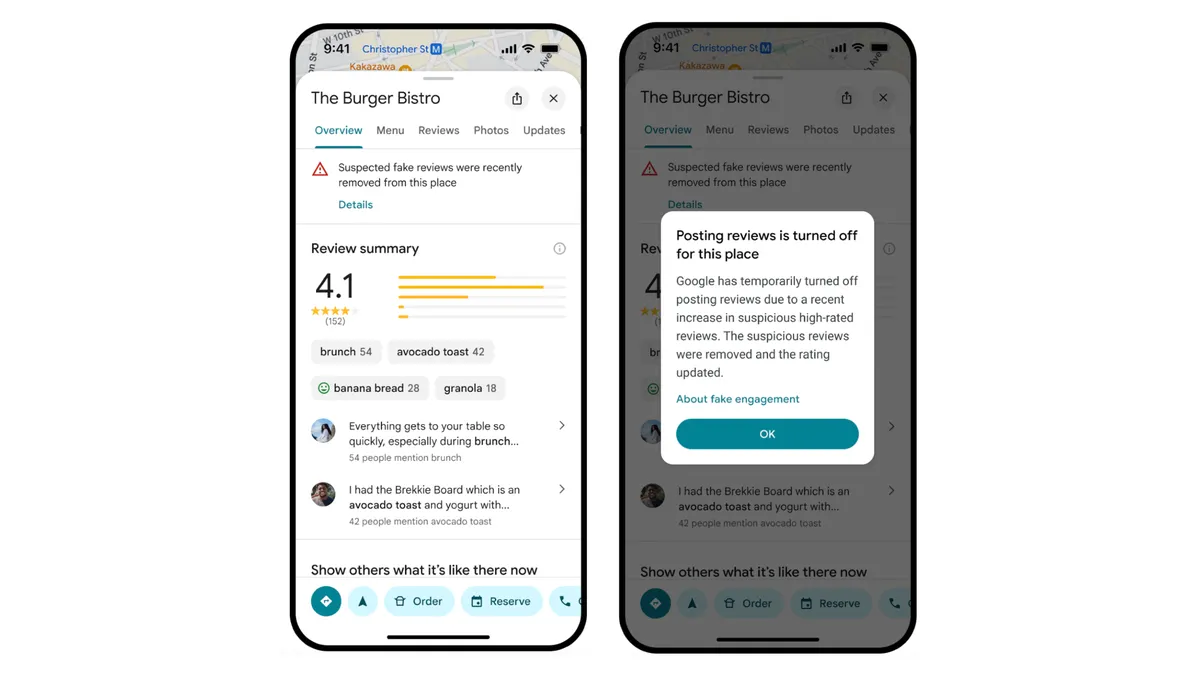
Sometimes the review was written and simply is not visible yet. Google's page on missing or delayed reviews lists the reasons, and the first one is routine.
Reviews are checked against Google's policies before they publish, and "in some cases, this process might take a few days."
Three other causes appear on the same page:
- Recently merged Business Profiles can take a few days to show reviews from both profiles on Search and Maps.
- Customers using older phones or outdated versions of the Maps app can fail partway through posting.
- Reviews removed for policy violations are not restored, so a review that vanishes after publishing was usually removed rather than lost.
Google also notes that it has disabled reviews for profiles categorized as K-12 educational institutions, which means some businesses will collect nothing no matter how well the campaign runs.
The practical response to all of it is patience. Asking the same customer again because their review has not appeared is how a clean profile picks up a duplicate-looking pattern it did not need.
Where reviews sit next to everything else local
Reviews are one input among several, and treating them as the whole strategy tends to produce a profile that is well reviewed and still invisible.
The rest of the picture includes categories, hours, photos, posts and the consistency of your business information across the web.
Activity on the profile matters too, because the people your reviews attract land on a page that either looks current or looks abandoned.
Posting whenever you happen to remember is the weakest version of that.
What the shortcut actually costs
Without a system, reviews arrive only from the two extremes: the delighted and the furious. That is the profile you get by default, and it is the least representative version of your business.
With a plain, universal ask, the average moves toward the truth, and the truth is usually better than the silence that preceded it.
The shortcut version costs more than it looks.
Incentives and selective requests put the reviews you collected at risk, and reviews removed for policy violations do not come back.
You get Google reviews for your business the slow, plain way: generate the link, share it with everyone, say nothing about what you hope they write, and answer what arrives.
Leftover questions about Google reviews
Can I ask for a review by text message?
Yes. Google names email, WhatsApp and Facebook as sharing routes, and the review link is an ordinary URL that works in any message. What matters is that the request goes to every customer and carries no offer with it.
Does a customer need a Google Account to leave a review?
Yes, customers must be signed in to a Google Account to post one. The account does not have to use a Gmail address, which is worth mentioning when someone says they do not have one.
Can I remove a negative review by replying to it?
No. Replying does not remove anything, and the reply is published publicly beneath the review. Removal happens only when Google assesses a flagged review as a policy violation.
Is a review left by an employee allowed?
Google's policies restrict reviews that do not reflect a genuine customer experience, and merchants pressuring staff to post reviews is named as prohibited behavior. Treat employee reviews as a risk to the profile rather than an easy first five stars.