How to add a link to an Instagram story with the link sticker
To add a link to an Instagram story, open Stickers in the story editor, choose Link, paste your URL, customize the text and share.

Every account can put a clickable link in a story now, not just big or verified ones. The link sticker is the only way to do it, and a few small choices decide whether anyone taps it.
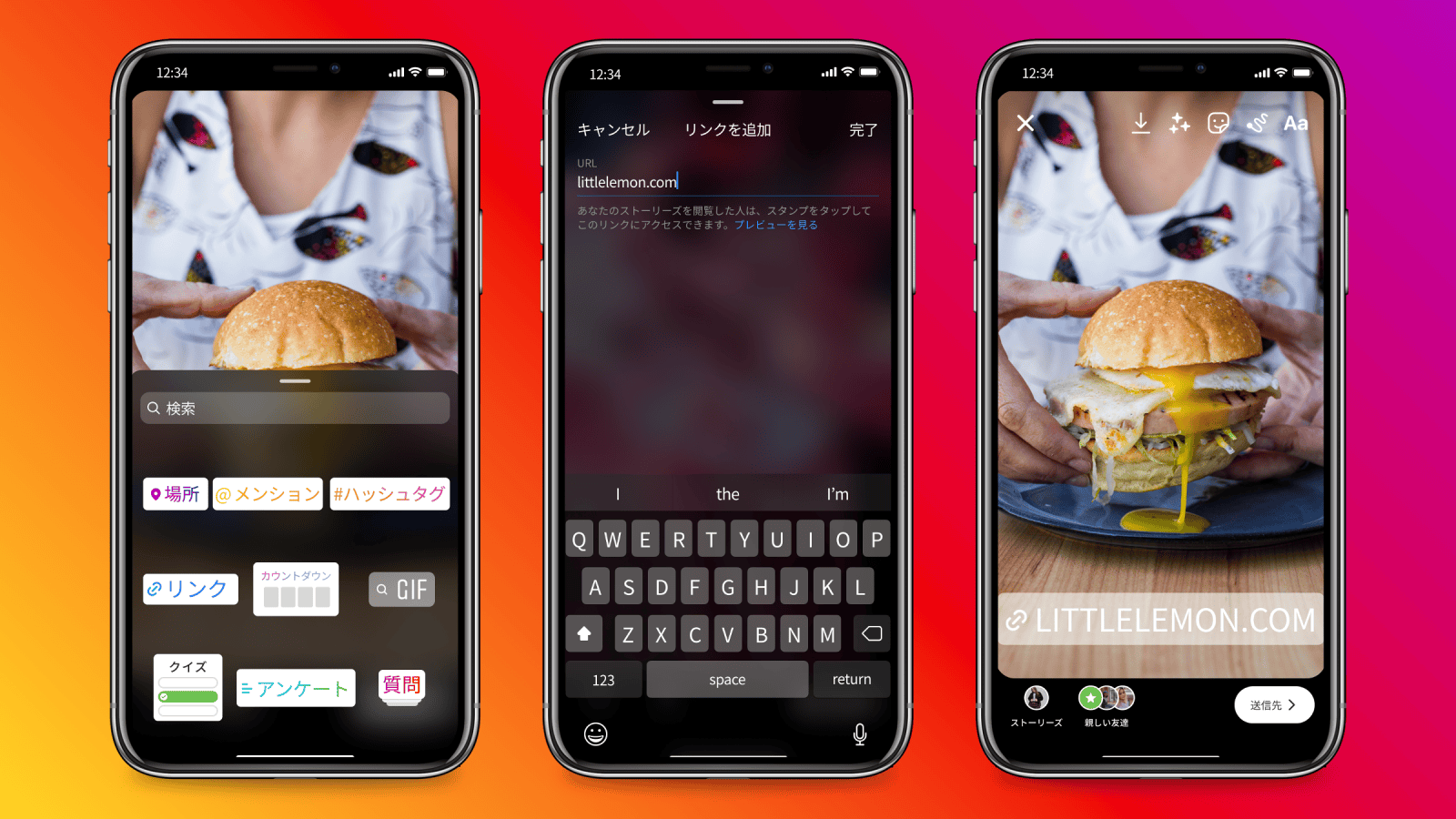
To add a link to an Instagram story, use the Link sticker: open Stickers in the story editor, choose Link, paste your URL and place the sticker.Capture or upload a photo or video in the story creator.Tap the Stickers icon (the square smiley face) and select Link.Paste your URL, tap Customize sticker text for a call to action like "Shop now," then share.
Below: the full steps, how to make the sticker get tapped, who can't use it, and how to see how many people clicked.
How to add a link to an Instagram story
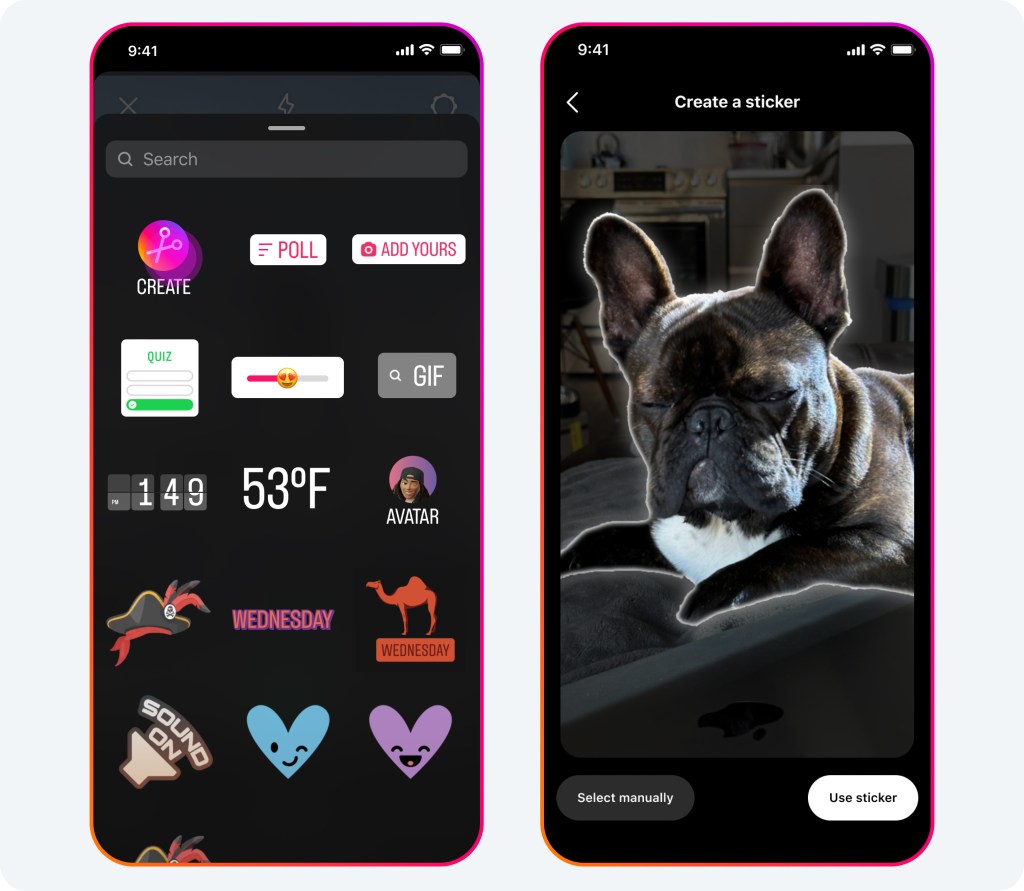
The link sticker lives in the same sticker tray as polls, questions and music. Instagram's page on using stickers explains that when you share a story, you add stickers by tapping Stickers at the top of the screen and choosing one.
Create the story and open the stickers
- Open the story creator and take or upload the photo or video you want to share.
- Tap the Stickers icon at the top of the screen (the square smiley face).
- Scroll or search the tray and tap Link.
Add the URL and place the sticker
- Type or paste your URL into the URL field. Tap See preview below the link to check what people will see when they open it.
- Tap Customize sticker text to replace the raw web address with a short call to action, such as "Read the blog."
- Tap Done, drag the sticker where you want it, and share your story.
Instagram describes the result simply: anyone who can see your story can tap the sticker to visit the link.
That's the whole process. The part that takes thought is steps 5 and 6, because a link nobody notices is a link nobody taps.
How to make people tap the link sticker
A link sticker competes with everything else on the screen, and most viewers flick through stories in a second or two. A few habits make the sticker hard to miss.
Replace the URL with an action. "Get the recipe" tells people what they'll get; "example.com/p?id=4512" doesn't. The custom text is the single biggest improvement you can make.
Change the color. Instagram's announcement of the link sticker for everyone notes you can tap the sticker to see color variations. Pick the one that stands out against your photo.
Place it where thumbs rest. Keep the sticker away from the very top and bottom edges, where the profile name and reply bar sit, and near the middle third of the screen where eyes land.
Say it out loud. In a video story, pointing at the sticker or saying "tap the link" often helps more than any design choice.
One sticker, one story, one clear reason to tap.
Link stickers replaced swipe-up links
Links in stories used to be a privilege. Instagram's announcement explains that the feature was once limited to verified accounts or accounts with a certain number of followers, the era of "swipe up" links that only larger accounts could use.
The link sticker changed that. In October 2021, Instagram expanded link sharing in stories to everyone, so any account can add a link to a story.
The sticker format also changed how links behave for viewers. A swipe-up link was an invisible gesture; a sticker is a visible button you can style, move and label.
That's why the old advice about "swipe up" no longer applies: there's nothing to swipe, only a sticker to tap.
Who can't use the link sticker
Access is open to everyone, with exceptions. Instagram's announcement states that new accounts, and accounts that repeatedly share things like hate speech, misinformation or other content that violates its Community Guidelines, won't have access to the link sticker.
So if Link doesn't appear in your sticker tray, check two things:
- How new is the account? Brand-new accounts may not have access yet.
- What does your account status show? Removed content can limit features.
Also make sure your app is updated. Instagram's stickers page notes that if you're not seeing certain stickers, you should update to the latest version from the App Store or Google Play, and that not all stickers are available to everyone.
Link stickers in ads work differently
If you boost a story or run it as an ad, the organic link sticker isn't the tool. Instagram's page about the link sticker explains that link stickers can only be used in organic stories.
Stories ads use a default call-to-action sticker that's placed automatically at the bottom of the ad. Instagram recommends keeping roughly the top 14% and bottom 20% of the ad creative free of text and logos so that sticker doesn't cover them.
Partnership stories follow the same rule. Instagram says you can't create partnership ads from stories with organic link stickers; the creator should leave the link sticker out if the story will become an ad.
How to see how many people tapped your link
Instagram counts link taps for you. Its page on story insights lists link taps among the interactions for a story, alongside replies, shares and sticker taps.
To see them, open your story, tap Activity, then Insights. For stories that have expired, open insights from your dashboard and choose the story under Content you shared.
Instagram notes you need a public account to view insights.
Story insights stay available for up to two years, even though the story itself expires after 24 hours.
Comparing link taps with viewers is the useful number. If 1,000 people watched and 12 tapped, the sticker or the reason to tap needs work. If 1,000 watched and 150 tapped, you've found a format worth repeating.
Where the link opens, and what viewers see
When someone taps your link sticker, the page usually opens inside Instagram's own in-app browser rather than jumping to Safari or Chrome. That matters for how your page behaves.
Instagram's page on in-app browser settings explains that viewers can clear cookies and cache for sites they visit through Instagram, and that a safe browsing feature can warn them when Instagram thinks a website may be trying to steal their information.
Two practical takeaways for your link:
- Test it inside Instagram, not just on your laptop. A checkout, login or form that works in a normal browser can behave differently in an in-app one. Tap your own sticker after posting and walk through the page.
- Use a clean, trustworthy URL. Pages that look suspicious to a safety check can put a warning between your viewer and your page.
The See preview option in the sticker editor helps here too. It shows what the link will look like when someone opens it, so you can catch a wrong or broken URL before the story goes out.
Keep the link alive after 24 hours
A story disappears after a day, and so does its link. If the link matters beyond that, add the story to a highlight on your profile.
Instagram's page on highlights explains that stories added as highlights remain visible until you remove them. A highlight called "Shop" or "Links" keeps your best link stories one tap away for new visitors.
Your bio links do a similar job. Instagram lets you add up to five websites to your profile, so the most important destinations don't depend on stories at all.
Good uses for a story link
The link sticker suits anything where a viewer needs to go somewhere else to finish the action:
- A new blog post, video or podcast episode.
- A product page, restock or limited-time offer.
- A sign-up form for an event, webinar or newsletter.
- A fundraiser, petition or booking page.
Match the sticker text to the action. "Book your spot" works for an event; "Shop the drop" works for a product. Generic "Link" text wastes the chance to tell people why they should tap.
Your link sticker checklist
- Open the story creator, tap Stickers, and choose Link.
- Paste the URL, then customize the text with a clear action.
- Pick a color that stands out, and place the sticker away from the edges.
- Check insights for link taps after the story has run.
- Save strong link stories to a highlight so the link outlives the day.
Link sticker questions
Who can tap the link in my story?
Anyone who can see the story. Instagram says the sticker works for everyone who can view it, so a close-friends story's link reaches only your close friends, and a private account's link reaches only approved followers.
Why doesn't Link appear in my sticker tray?
New accounts, and accounts that repeatedly break Instagram's Community Guidelines, don't have access to the link sticker. Updating the app can also bring missing stickers back.