How to unsubscribe from LinkedIn Premium before the next charge
Paying for LinkedIn Premium you don't use? Unsubscribe a day before billing; paid plans run to the cycle end, trials stop at once.

Unsubscribing stops the next payment, not today's access, and that gap decides what you keep and what you lose.
Short answer: unsubscribe from LinkedIn Premium by clicking Me, then Premium features, then Manage subscription, and choosing Cancel subscription, at least one day before your next billing date. The catch: a paid plan keeps working until the end of the cycle you paid for, but a free trial ends the moment you cancel it.
Below: when it's too late to stop a charge, how trials and refunds work, and what's still on your account afterwards.
Unsubscribing stops the next charge, not your current access
The word "unsubscribe" suggests everything switches off at once. With a paid Premium plan, it doesn't.
LinkedIn's cancellation page says a paid plan stays active until the end of the current billing cycle. After that, your account reverts to Basic, LinkedIn's free version.
So think of unsubscribing as turning off renewal.
You stop future payments, and you keep what you've already paid for.
That's why there's no advantage in waiting until the last day of the cycle to cancel a paid plan.
How to unsubscribe from LinkedIn Premium
The steps depend on the device you use. Both routes end the renewal the same way.
On a computer
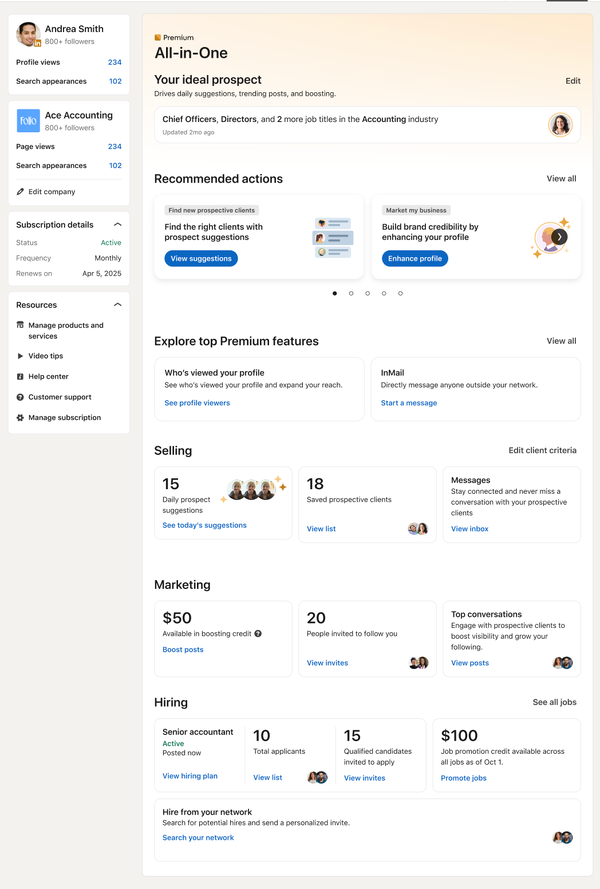
- Click the Me icon and select Premium features.
- Click Manage subscription under Plan Details, which opens the LinkedIn Admin Center.
- Open Purchases and select your active subscription.
- Click Cancel subscription under Actions, then Confirm cancel.
In the LinkedIn app
- Tap your profile photo, then Premium features.
- Tap Manage your subscription to reach the Manage Premium account settings page.
- Tap Cancel subscription and follow the prompts.
If Apple or Google billed you, the route follows the store. An App Store subscription is cancelled in the LinkedIn app on an Apple device, and a Google Play one can be cancelled on LinkedIn or in Google Play.
Monthly, quarterly and annual Premium plans
The one-day rule applies whatever your billing cycle, but the cycle changes how much time you keep after cancelling.
LinkedIn bills Premium monthly or annually, and quarterly billing is rolling out.
On a monthly plan, unsubscribing mid-cycle leaves you a few weeks of Premium. On an annual plan, it can leave you months.
That's worth knowing if you're on a yearly plan and only want to avoid the next renewal. You can unsubscribe today and keep using everything until the year you paid for runs out.
When is it too late to stop the next Premium charge?
LinkedIn asks you to cancel at least one day before your next scheduled billing date.
That's the real deadline. Cancelling on the billing date itself risks the renewal going through before your cancellation does.
A simple habit prevents this. When you subscribe, put a reminder in your calendar three days before the renewal date. That leaves a margin if you're travelling, busy or can't sign in that day.
If you've already missed the date, the refund rules below are the next thing to check.
Unsubscribing from a Premium free trial
Trials work the opposite way from paid plans. When you cancel a free trial, LinkedIn says the trial ends immediately.
There's no "keep it until the end" period. The features go the moment you confirm.
The trial also converts on its own. LinkedIn's page on the Premium free trial explains that a valid credit card is required and the trial moves to a paid plan automatically unless you cancel. For trials bought on desktop, LinkedIn sends an email reminder before the trial ends.
Should you cancel a trial early or wait?
If you want the full month, don't cancel on day one. Cancelling ends access at once, so an early cancellation throws away the rest of the free period.
The alternative has its own risk. Leave it too late and the trial converts to a paid plan.
The workable middle is to cancel two or three days before the trial ends. You get almost the full trial, and you stay clear of the one-day billing deadline.
Two other trial rules are easy to trip over. Switching to a different Premium plan during the trial forfeits the trial. And partner perks tied to Premium only become available after your first paid payment, not during a trial.
Can you get a refund for LinkedIn Premium?
Sometimes, and within a short window. LinkedIn's Premium subscription FAQ says a subscription may be refundable within seven days from the date it's charged, if Premium hasn't been used.
Both conditions matter. The request has to be within seven days of the charge, and the account can't have used Premium features in that time.
So if a renewal went through that you meant to stop, act quickly and stop using Premium features in the meantime. Sending an InMail or opening Premium-only insights after the charge could count as usage.
Outside that window, the practical fix is the one above: cancel, and use the paid time you have left.
What stays on your account after you unsubscribe
Unsubscribing from Premium doesn't touch the account itself. LinkedIn's cancellation FAQ says your profile, connections and data are kept.
That includes the things people worry about most:
- Your profile, with everything you've written on it.
- Your connections and followers.
- Your existing messages and conversations.
You're simply moved to Basic. It's the same free account you'd have if you'd never subscribed, with your history intact.
What stops when the billing cycle ends
The losses arrive on the last day of the cycle, not on the day you unsubscribe. They group by what you used Premium for.
If you used it to job hunt, you lose the extra insights on job postings and the full list of who's viewed your profile.
If you used it to reach people, your InMail balance goes to zero. Accumulated credits can't be credited back.
If you used it to learn, your LinkedIn Learning access ends.
If you used it to search, unlimited people browsing ends, and the free account's commercial use limit may apply instead.
Who's viewed your profile on a free account
The viewer list is the feature many people miss first. After the cycle ends, it shrinks to the Basic version.
On a free account, LinkedIn shows the three most recent viewers in the last 90 days. Premium Career and Business show a full list going back up to 365 days, with filters and trends.
There's a condition on the free list too. You only see those viewers if your own viewing setting shows your name and headline when you look at other profiles. Browse in private mode on a free account, and your viewer list goes blank as well.
The commercial use limit comes back
Heavy searchers notice this one first. Free accounts have a monthly limit on profile searches and views for commercial use.
LinkedIn says the limit resets at midnight PST on the first of each month.
Not every search counts toward it: name searches from the top search box, browsing your 1st-degree connections and job searches don't.
If most of your searching is looking up people by name or browsing your own network, you may barely notice the limit. If you scroll long lists of search results every day, plan for it before your cycle ends.
Your LinkedIn Learning history after Premium ends
Learning is included in many Premium plans, so unsubscribing usually ends it too.
The work you've already done doesn't disappear.
LinkedIn says that when a subscription expires, you keep your Learning History and your Certificates of Completion. What you lose is access to new courses and extras such as personalized recommendations and exercise files.
If you're halfway through a course you care about, finish it before the cycle ends. You can't add an unfinished course to your profile, and the certificate is only issued once every video is complete.
Unsubscribing versus downgrading
If you still want some Premium features, you don't have to leave altogether.
LinkedIn lets you downgrade to a different plan instead of cancelling. That's only available on desktop.
A downgrade makes sense when one feature, such as a smaller InMail allowance, still earns its cost. Full unsubscribing makes sense when you've finished the job search or project you subscribed for.
Before you subscribe again later
Coming back is always possible, but two rules shape what it costs.
First, LinkedIn says cancelled promotions and discontinued plans can't be repurchased at the same price. A discounted rate ends when you cancel it.
Second, if you cancelled a free trial, you won't be eligible for another trial for at least 12 months. Your next Premium month will be a paid one.
Neither rule is a reason to keep paying for a plan you don't use. They're a reason to decide once, rather than cancel and resubscribe every few weeks.
Unsubscribe before the date that matters
The date that decides everything is your next billing date. Cancel at least a day before it, and the next charge doesn't happen.
If you're on a trial, remember it ends the moment you cancel, so time it for the last few days. If a charge has already gone through, you have seven days, and only if you haven't used Premium since.
Open your subscription settings now, find the renewal date, and put it in your calendar with a reminder three days earlier.
What to know about stopping Premium billing
Will LinkedIn remind me before my trial becomes a paid plan?
For trials bought on desktop, LinkedIn sends an email reminder before the trial ends. Don't rely on it alone; set your own reminder too.
Can I unsubscribe from Premium without signing in?
In Germany and the United States, LinkedIn says some subscriptions can be cancelled without signing in, using a form. Elsewhere, you need access to the account.
Does unsubscribing from Premium delete my LinkedIn account?
No. Your profile, connections and data stay. The account moves to Basic when your paid period ends.