LinkedIn profile view notifications: can people see that you looked?
Can people see you viewed their LinkedIn? Yes, via profile view notifications and viewer lists, unless you switch to private mode.

Can people see if you view their LinkedIn profile?
Yes, unless you change your setting. With Your name and headline selected, the person can see your name, headline, location and industry in their Who's Viewed Your Profile list; switch Visibility when viewing other profiles to Private profile characteristics or Private mode to appear as a description or as "LinkedIn Member" instead.
Below: what the other person sees, how to check your setting, and the views that get counted when you didn't expect them to.
Does LinkedIn tell people you viewed their profile?
In most cases, yes. LinkedIn keeps a Who's Viewed Your Profile list for every member, and your visit lands on it.
How much of you appears on that list depends on one setting of yours, not theirs. LinkedIn's viewer visibility settings page calls it Visibility when viewing other profiles.
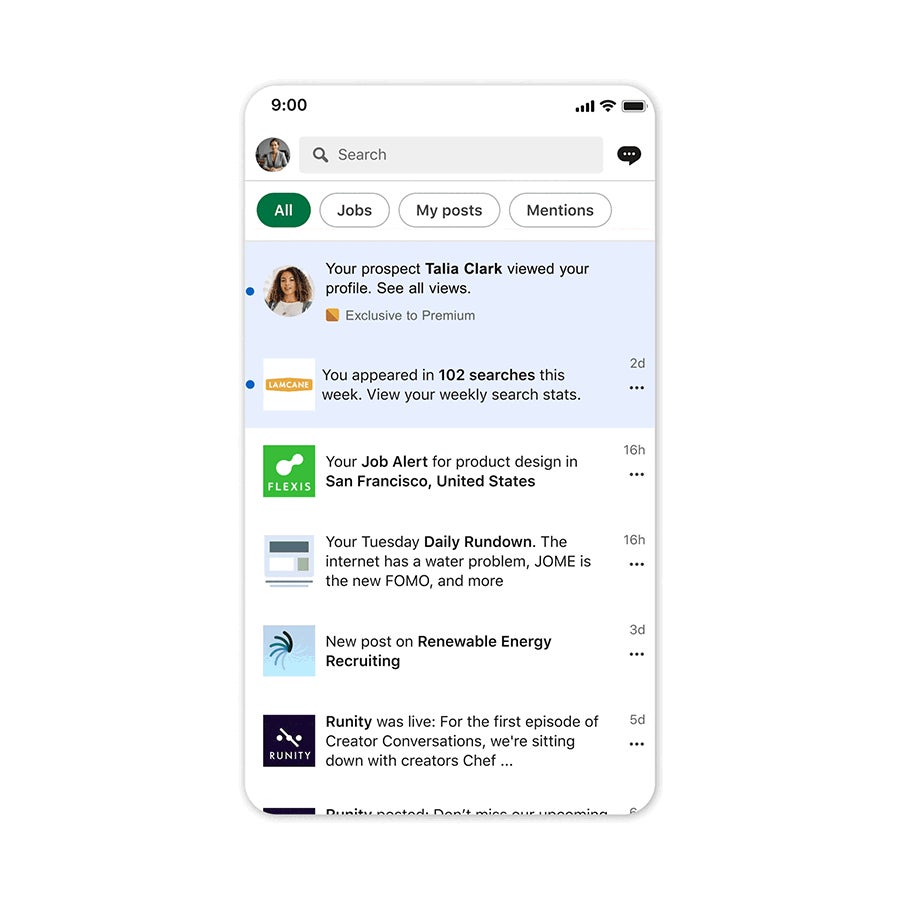
The person may also hear about it outside the list. LinkedIn sends emails about who viewed your profile, and some profile views can trigger a notification.
So the honest answer to "will they know?" is: they can, if they look, and LinkedIn may nudge them to look.
The only thing you control is what they'll see when they do.
What the other person sees about you
Your setting has three options, and each shows a different amount:
- Your name and headline: they see your name, headline, location and industry.
- Private profile characteristics: they see a description instead of your name, such as "Someone at Accenture".
- Private mode: they see "LinkedIn Member", with no other details.
Notice that "Your name and headline" shows more than the label suggests. Location and industry come along too.
That's worth knowing if you're researching a competitor or a company you might apply to. A visit with your full details is, in effect, a small introduction, whether you intended one or not.
How to check your profile viewing setting on desktop
Before worrying about a visit you've already made, check which option you're on:
- Click the Me icon at the top of your LinkedIn homepage, then Settings & Privacy.
- Click Visibility in the left pane.
- Under Visibility of your profile & network, click Visibility when viewing other profiles.
- Select the option you want.
LinkedIn saves your choice automatically. There's no confirmation button to press.
If you're following an older guide, it may call this setting "Profile viewing options". That's the previous name for the same control.
How to check it in the LinkedIn app
On iPhone or Android:
- Tap your profile photo.
- Tap Settings & Privacy, then Visibility.
- Tap Visibility when viewing other profiles.
- Select an option.
It's one setting for your account, so changing it in the app changes it everywhere you use LinkedIn.
Check it once now, even if you have no plans to browse privately. Plenty of members have never opened this screen and don't know which option they're on.
Why you shouldn't assume a default
Many guides say LinkedIn shows your name "by default". LinkedIn's help page doesn't actually say which option is the default.
That's a small detail with a practical point. Don't rely on what the setting probably is. Look at what it actually is.
If you've never changed it, open the setting and confirm what's selected. If you set it years ago for a job search and forgot, you might be more visible, or less visible, than you think.
The only reliable answer to "can they see me?" is the option selected in your own settings right now.
How long your visit stays visible to them
A visit doesn't sit on someone's list forever, and how long it shows depends on their account, not yours.
LinkedIn's page on basic and Premium viewer features says Basic members see the three most recent viewers in the last 90 days. Premium Career and Business members get up to 365 days of viewer data, with filters by company and industry.
That changes the odds. On a free account, your visit may be pushed off the short list within days by newer viewers. On a Premium account, it stays findable for up to a year.
If the person you're viewing is a recruiter, a salesperson or anyone likely to pay for Premium, assume your visit will be seen.
The mini profile catch in search suggestions
There's one view people make without realizing it.
When you type a name into LinkedIn's search bar, suggestions appear. Clicking a member's name in those suggestions opens their mini profile. LinkedIn says this "is treated as a profile view that may result in a notification being sent."
So you don't have to open the full profile to be counted. A quick click in the suggestion list is enough.
If you're researching someone and want to stay anonymous, change your setting before you start typing their name, not after.
Does googling someone's LinkedIn show up as a view?
This is a different situation from viewing a profile inside LinkedIn. LinkedIn's viewer list describes viewers by their LinkedIn name, headline or profile characteristics, which is information tied to a signed-in member.
When you open a profile from a search engine result, you may be looking at the public version of the profile rather than browsing as a signed-in member. LinkedIn's viewer help pages don't spell out how that kind of visit is recorded.
The question of googling someone's LinkedIn profile comes up often enough to deserve its own answer.
If you click through from a search engine while you're signed in to LinkedIn, treat it like any other view. Your setting decides what they see.
Private profile characteristics: partly anonymous
The middle option replaces your name with a short description drawn from your profile, such as a job title, a company or an industry.
It's a good fit when you don't mind people knowing what kind of person looked, only who. A recruiter sees "Someone at" a large firm and has no way to single you out.
It works less well at small organizations. If you're one of three people in a role at your company, the description can point straight at you.
On a free account, this option has the same cost as private mode. LinkedIn says Basic members must choose Your name and headline to see their own viewer history.
Private mode: fully anonymous, with a trade-off
Private mode shows you as "LinkedIn Member". LinkedIn's page on private mode viewers confirms that nobody can reveal who a private-mode viewer is, even with a Premium account.
That protection is strong. The person also can't block a private-mode viewer, since they don't know who it is.
The trade-off falls on free accounts. On Basic, going private means you can't see your own viewer list either.
Premium members can browse privately and still see who viewed them. That's one of the few practical differences Premium makes to profile privacy.
Can they work out who you are anyway?
In private mode, not through LinkedIn. There's no Premium feature, filter or request that unmasks you.
Context can still give you away. If you view someone's profile minutes after emailing them, or right after meeting them at an event, they may guess. That's inference, not anything LinkedIn reveals.
With private profile characteristics, the description itself is the risk. A distinctive title at a small company is almost as clear as a name.
If staying unnoticed truly matters, use full private mode and avoid viewing at moments that make the connection obvious.
When being seen is actually useful
Visibility isn't only a risk. Often it's the point.
A visit with your name and headline can work as a quiet hello:
- A hiring manager sees that you looked at their profile after you applied.
- A prospect notices your visit before your message arrives.
- Someone you met at an event sees you followed up.
Many people look back at who viewed them, and some reach out.
If you're job hunting or building a network, being anonymous can cost you those openings.
So treat the setting as a tool you switch per task, not a permanent stance.
Changing your setting after a visit
If you've already viewed someone's profile with your name showing, switching to private mode now doesn't come with any documented way to undo that visit.
LinkedIn's help pages describe how your setting affects the way you appear when you view profiles. They don't describe changing how a past visit appears.
So assume the visit stands.
If the person was likely to notice, the most natural response is to own it: send a short connection request or message with a genuine reason, rather than hoping it goes unseen.
For future research, switch settings first and browse second.
Your call on profile view notifications
LinkedIn profile view notifications work in both directions, and the setting gives you the choice.
Stay visible when you want people to notice you: job searches, networking, sales. Switch to private profile characteristics or private mode when you're researching quietly, and accept the trade-off on a free account.
Either choice is reasonable, and you can change it as often as your work requires. Open Visibility when viewing other profiles, check what's selected, and set it for what you're doing today.
Profile view notification FAQ
Can I see who viewed my profile if I browse in private mode?
On a free account, no. LinkedIn says Basic members must choose Your name and headline to see their viewer history. Premium members can browse privately and still see their viewers.
Can I stop getting emails about who viewed my profile?
Yes. Use the Unsubscribe link in the footer of one of those emails. It doesn't change how you appear when you view others.
Can someone I viewed in private mode block me?
No. LinkedIn says private-mode viewers can't be blocked, because the member can't see who they are.