LinkedIn connection degrees: what 1st, 2nd and 3rd mean
What are LinkedIn connection degrees? 1st is a direct connection, 2nd is connected to your 1st, and 3rd is connected to your 2nd.

On LinkedIn, 1st means you're directly connected, 2nd means the person is connected to one of your 1st-degree connections, and 3rd means they're connected to one of your 2nd-degree connections. The degree shows as a small icon next to each name, and it shapes what you can do: message 1st-degree connections, invite 2nd-degree members with Connect, and reach the rest more carefully.
Below: what each LinkedIn connection degree lets you do, what "Out of Network" means, and how to use degrees to find a warm introduction.
What LinkedIn connection degrees measure
A connection degree is the number of steps between you and another member. LinkedIn counts those steps through accepted connections only.
LinkedIn's page on degrees of connection sets out three levels, 1st, 2nd and 3rd. Everyone else on the platform sits outside your network.
The number isn't a rating. It says nothing about how well you know someone or how senior they are.
It's a map of the path between you, and the shorter the path, the more LinkedIn lets you do directly.
1st-degree connections
These are people you're directly connected to. Either you accepted their invitation to connect, or they accepted yours.
They're the only group you can message freely on a free account. They see your posts in their feed, and you see theirs.
Your 1st-degree list is also the foundation of everything below it. Every 2nd and 3rd-degree member reaches you through someone in this group, which is why a thoughtful set of 1st-degree connections is worth more than a large, random one.
2nd-degree connections
A 2nd-degree connection is someone connected to at least one of your 1st-degree connections. You don't know them directly, but someone you know does.
LinkedIn lets you invite 2nd-degree members by clicking Connect on their profile or in search results.
This is the most useful group for most people. Recruiters, potential clients and future colleagues often sit here, one friendly introduction away.
3rd-degree connections
A 3rd-degree connection is someone connected to one of your 2nd-degree connections. There are two people between you.
The link is real but thin. You probably don't know anyone who knows them personally, so an introduction would have to travel through two people.
Depending on how much of their profile they show, you may see less about them, and you usually reach them through a normal invitation or a paid message rather than a friend's introduction.
Where the degree appears on LinkedIn
LinkedIn shows each member's degree as an icon next to their name. You'll see it in two places:
- In search results, beside every person listed.
- On their profile, next to their name at the top.
It's a quick read. Before you message or invite someone, a glance at that icon tells you whether you're writing to a contact, a friend of a contact, or a near-stranger.
What does "Out of Network" mean on LinkedIn?
Anyone who isn't a 1st, 2nd or 3rd-degree connection, and isn't linked to you in another way, appears as LinkedIn Member (Out of Network).
LinkedIn says your network also includes people who follow you and fellow members of your groups. Someone outside all of those is out of network.
Profile visibility is limited for these members. LinkedIn notes that InMail may be available to reach them, which is a paid Premium feature rather than a free message.
What you can do at each connection degree
The practical difference between degrees comes down to how you can reach someone:
- 1st-degree: message them directly, on any account.
- 2nd-degree: send an invitation with Connect, and message them once they accept.
- 3rd-degree and beyond: invite them where LinkedIn allows it, or use InMail on a Premium plan.
Members who have turned on Open Profile can be messaged for free, whatever their degree. That's the exception worth remembering when someone useful sits outside your network.
InMail has its own limits. It's a Premium feature with a set number of monthly credits, so it's better saved for the few people you can't reach any other way.
Using 2nd-degree connections for a warm introduction
The real value of the degree system is the 2nd-degree path. It tells you exactly who could introduce you.
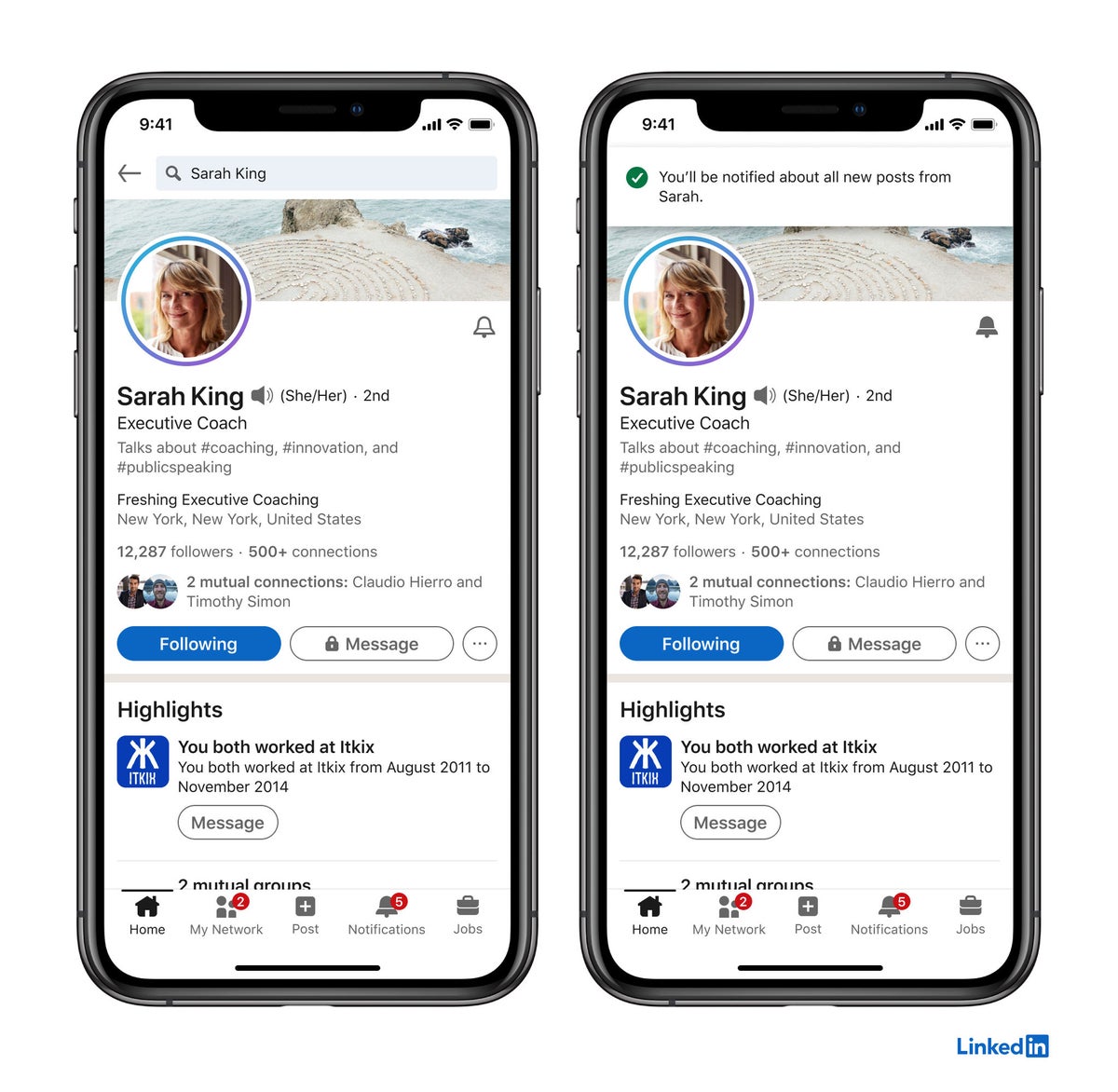
Open the 2nd-degree person's profile and look for the mutual connections LinkedIn shows. Those are your bridges.
A good introduction request is short:
- Pick the mutual connection you know best.
- Explain in two sentences who you'd like to meet and why.
- Make it easy to say no, so they don't feel obliged to vouch for you.
An introduction from someone both people trust tends to land better than a cold invitation. It's the oldest networking move there is, and LinkedIn's degree icons simply make the path visible.
How to filter LinkedIn search by connection degree
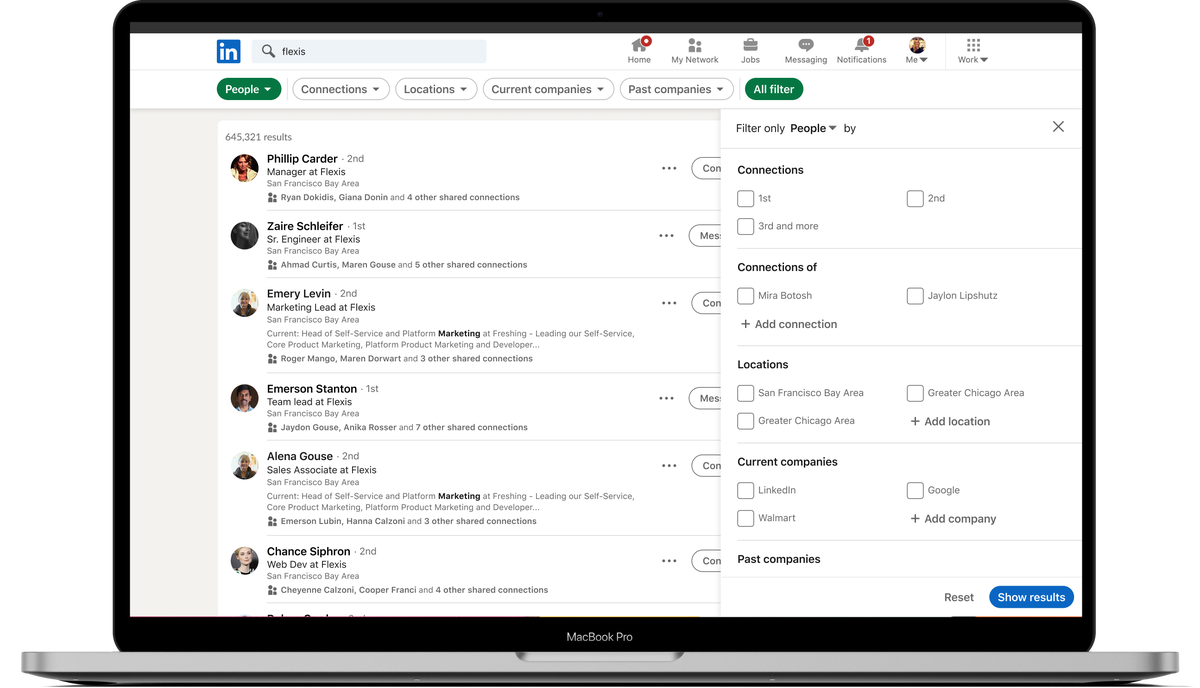
LinkedIn's search lets you narrow people results by degree. Its page on 2nd and 3rd-degree connections in search describes the Connections filter, with options for 1st, 2nd and 3rd+.
The 3rd+ option is broader than it sounds. LinkedIn says it includes everyone who falls within your search criteria, not only people exactly three steps away.
A practical way to use it: search for a job title at a company you're targeting, then filter to 2nd. The results are people you could reach through someone you already know.
Connections versus followers on LinkedIn
A connection is two-way. Both of you agreed, and both of you see each other's posts.
A follower is one-way. They see your public posts in their feed, but you don't have to follow them back, and they don't count as a 1st-degree connection.
LinkedIn counts followers as part of your network, which is why someone who follows you isn't shown as out of network.
Is your audience growing past the people you actually know? Then it's worth understanding how to turn LinkedIn connections into followers and why that shift matters.
Personalizing invitations to 2nd and 3rd-degree members
When you invite someone you don't know, a note makes a real difference. It tells them why a stranger wants to connect.
LinkedIn caps these notes on free accounts. A note can be up to 200 characters, and free members can personalize up to three connection requests per month. Premium members get unlimited personalized invitations.
That cap changes how you use notes. Save them for the invitations that matter most, such as a 2nd-degree contact you were introduced to, and keep each one to a single clear reason.
The limit on 1st-degree connections
LinkedIn caps your 1st-degree connections at 30,000. Very few people ever get close.
If you do approach it, you'll need to choose who stays. At that size, followers become the more natural way for new people to keep up with you.
For almost everyone else, the useful question isn't the ceiling. It's whether your 1st-degree list is made of people you'd actually recognize and could ask for help.
Should you accept every 2nd-degree invitation?
No. A 2nd-degree invitation means you share at least one connection, not that you share any interest or trust.
Before accepting, look at who the mutual connection is and whether the person's profile makes sense for your work. A shared former colleague is a good sign. A single mutual connection with someone who accepts everyone is a weak one.
Accepting has a knock-on effect. Once someone is 1st-degree, they can message you directly, and their own network moves one step closer to you.
Treat each acceptance as a small decision about who can reach you, not a courtesy you owe.
What a sender's degree tells you about a message
The degree is also useful when you're on the receiving end.
A message from a 1st-degree connection comes from someone you agreed to connect with. An InMail usually comes from someone further out, who paid to reach you.
Neither is automatically better.
But the degree gives context before you reply. A 2nd-degree sender who mentions your shared connection by name has done their homework. A cold InMail with no reason for writing to you probably hasn't.
How connection degrees change
Degrees aren't fixed. They shift every time you or your connections connect with someone new.
Accept an invitation, and that person moves to 1st. Everyone in their network may move closer to you too, becoming 2nd-degree.
Degrees can also move the other way. Blocking a member removes an existing connection, so a 1st-degree contact you block is no longer connected to you.
How your posts travel through connection degrees
Degrees also shape who sees what you share. A post shared with Anyone can appear in your 1st-degree connections' feeds.
LinkedIn says it can also reach 2nd and 3rd-degree members when your connections engage with it. Each reaction or comment from a 1st-degree connection can carry the post one step further out.
That's the everyday reason a strong 1st-degree network matters. It's the first ring your posts reach, and the only way they travel further.
LinkedIn connection degrees in brief
1st-degree connections are people you're directly connected to, and you can message them freely. 2nd-degree members are connected to your connections, and you can invite them with Connect. 3rd-degree members are one step further out.
Everyone beyond that is out of network, reachable through InMail or Open Profile.
The next time you want to meet someone new, check their degree first. If they're 2nd-degree, look at your mutual connections and ask the one you know best for an introduction.
Connection degree questions
Can I message a 2nd-degree connection on LinkedIn?
Not directly on a free account. Invite them with Connect first, or use InMail on a Premium plan, unless they have Open Profile turned on.
Is a 3rd+ search filter only 3rd-degree people?
No. LinkedIn says the 3rd+ filter includes everyone who falls within your search criteria.
Do followers count as connections?
No. Followers see your public posts but aren't 1st-degree connections, though LinkedIn does count them as part of your network.