Is LinkedIn social media, and how is it different from the rest?
Is LinkedIn social media? Yes. LinkedIn calls itself a social network for professionals, with a feed, posts, comments and messaging.
Yes, LinkedIn is social media: its own privacy policy calls it "a social network and online platform for professionals." What sets it apart is the purpose, because people use it to find work, hire, sell and learn rather than to share their personal lives.
Below: what makes LinkedIn social, what makes it different, and how it compares with the platforms you already know.
What LinkedIn says it is
The clearest answer to whether LinkedIn is social media comes from LinkedIn itself.
The opening of the LinkedIn Privacy Policy reads: "We are a social network and online platform for professionals."
It adds that people use it "to find and be found for business opportunities, to connect with others and find information."
That's a definition in two parts. Social network says what it is. For professionals says who it's for.
LinkedIn's company site calls it "the world's largest professional network", and its stated mission is to "connect the world's professionals to make them more productive and successful."
So the question isn't really whether LinkedIn is social media. It's what kind.
The social media features LinkedIn has
Look at what you can do on LinkedIn, and it matches every common definition of social media.
You get:
- A feed of posts from people and companies you follow or are connected to.
- Posts with text, images, video, documents and polls.
- Reactions and comments on other people's posts.
- Reposts that share someone's post with your own network.
- Messaging between members.
You can also mention people with "@", follow creators and companies, and join groups.
That's the full toolkit of a social platform, arranged around careers instead of friendships.

The content formats LinkedIn supports
LinkedIn's creator hub page on LinkedIn content formats names the formats members can publish:
- Videos
- Text and image posts
- Live Events
- Articles and Newsletters
- Polls
That range is a useful test. A job board holds listings. A social network holds conversations in many formats, and LinkedIn supports all of these.
Articles and newsletters are the one area where LinkedIn leans closer to a publishing platform than most social apps. Long-form writing sits next to short posts in the same feed.
What makes LinkedIn different from other social media
The features are familiar. The context isn't.
On LinkedIn, your profile is built around your work history, skills and education. It reads like a public resume, and people treat it as one.
That changes behavior. Posts tend to be about work: projects, hiring, lessons learned, industry news. Comments carry your name and job title, so people write them with their employer and clients in mind.
LinkedIn is social media where your professional reputation is always on the line. That single fact explains most of what feels different about it.
LinkedIn's rules keep it professional
LinkedIn backs that culture with written rules. Its Professional Community Policies ask members to "keep it professional."
The policies are explicit about what LinkedIn isn't: "LinkedIn is a professional networking platform, not a dating site." They also say: "Do not spam members or the platform."
Other platforms have community rules too. The difference is the standard. What counts as normal on an entertainment app can count as unprofessional here, and members notice.
The policies also warn against tactics that artificially increase engagement, such as agreeing ahead of time to like or share each other's posts. The feed is meant to reward real conversation.
Is LinkedIn a social network or a job site?
Both. LinkedIn runs a job marketplace inside a social network, and the two feed each other.
LinkedIn's own description of its business lists three revenue lines: membership subscriptions, advertising sales, and recruitment solutions. Recruitment sits alongside advertising, which is how most social platforms earn money.
The social side makes the job side work. Recruiters find candidates through profiles and posts. Job seekers find openings through their network.
If you only use LinkedIn to apply for jobs, it can feel like a job site. If you post and comment, it behaves like social media. Most members sit somewhere in between.
How big LinkedIn is
LinkedIn's company site says it has more than 1 billion members in more than 200 countries and territories. That scale is the other reason it belongs in the social media category.
Size also shapes what LinkedIn is useful for. With that many members, it covers most industries and job functions, so the people you want to reach are usually there.
LinkedIn's pressroom puts the figure higher still, at more than 1.3 billion members, and says close to 100% of Fortune 500 companies are on the platform. Few social networks can say the same about their business audience.
It doesn't mean they're all active. Plenty of members keep a profile up to date and rarely post, which is why a thoughtful post from an active member can travel further than you'd expect.
How LinkedIn compares with X
X (formerly Twitter) is the platform people most often put next to LinkedIn. Both are public, text-first and built around conversation.
The difference is identity and tone. On LinkedIn, you post under your real name, tied to your employer and job title. On X, handles can be anonymous and the conversation moves faster, across every topic.
If you're deciding where to spend your time, this comparison of LinkedIn vs Twitter for professional growth goes further on the choice.
Many professionals use both. LinkedIn holds the career record and the professional network; X holds the fast public conversation.
How LinkedIn compares with Instagram and TikTok
Instagram and TikTok are built for entertainment and personal expression first. Their feeds are driven by visuals and short video, and anyone can build an audience under any name.
LinkedIn supports video and images too, but the feed is still about work. A video explaining how you solved a client problem fits. A dance trend usually doesn't.
The audience is different as well. On LinkedIn, the people watching include colleagues, recruiters and potential clients. That's why the same person often posts very differently on each platform.
Is LinkedIn social media for companies too?
Yes. Companies take part through LinkedIn Pages, which post, repost and comment much like members do.
A Page's admins can share updates as the company, repost members' posts and control who comments. The company becomes one more voice in the feed, next to its own employees.
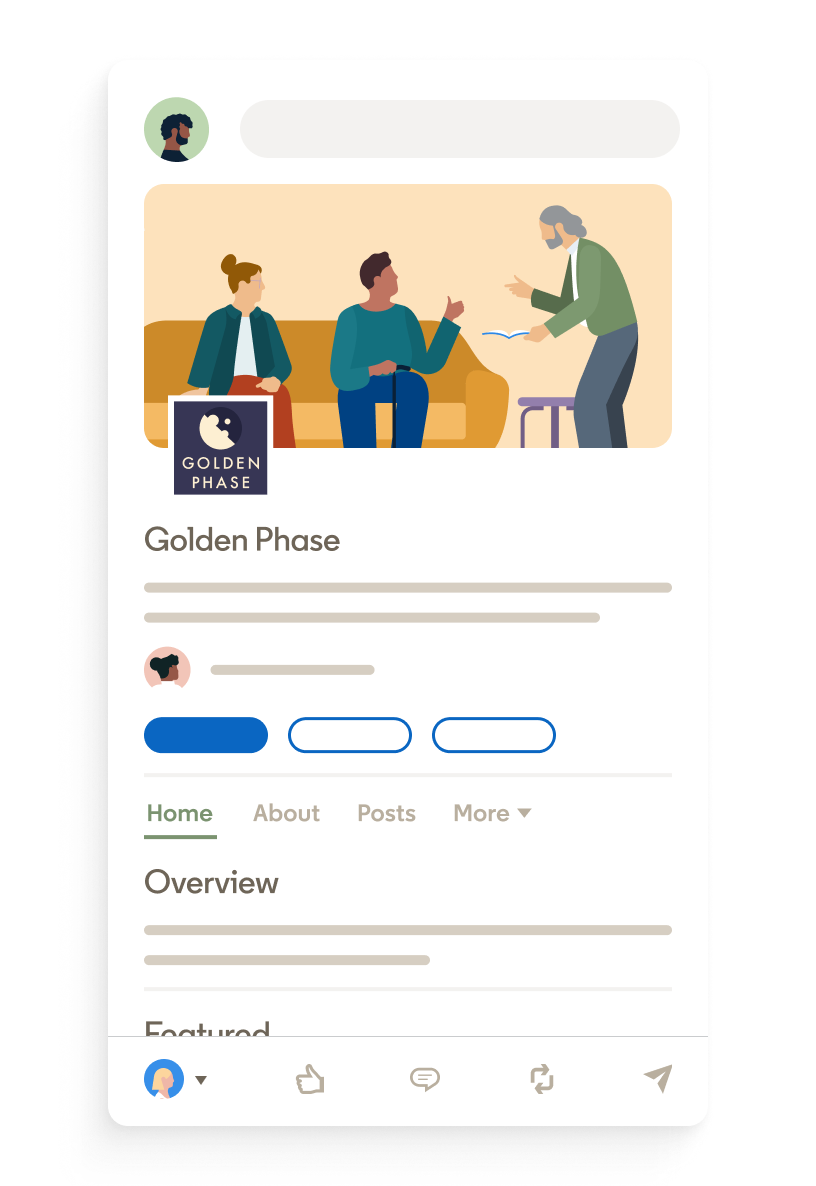
LinkedIn's advice to Page owners makes the social side plain: "Not every post should be about your business or product." It suggests posts that celebrate company wins and milestones instead.
That's the same rule that works for people. On LinkedIn, companies that only sell tend to get ignored, just as members do.
Who owns LinkedIn and how it started
LinkedIn was founded in Reid Hoffman's living room in 2002 and launched on May 5, 2003. That makes it older than most social platforms in use today.
Microsoft completed its acquisition of LinkedIn in December 2016.
The long history explains some of LinkedIn's character. Its vision, in its own words, is to "create economic opportunity for every member of the global workforce", and every social feature it has sits under that goal.
What free LinkedIn includes, and what Premium adds
You don't need to pay to use LinkedIn as a social network. A free Basic account lets you build a profile, post, comment, react and message your connections.
Premium adds tools for reaching further. InMail, which lets you message people you aren't connected to, is a Premium feature.
LinkedIn's page on viewer features for Basic and Premium also shows a gap in profile viewer history. Free accounts see the three most recent viewers in the last 90 days, while Premium sees up to 365 days.
For most people using LinkedIn socially, the free account covers the essentials.
Why the social media label matters for how you use it
Treating LinkedIn as social media changes how you should handle your profile.
Your posts, comments and reactions can be seen by much of your network. Your current employer, future employers and clients can all see them.
A few habits follow from that:
- Write every comment as if your manager might read it.
- Keep personal debates for platforms where you aren't tied to your job title.
- Check your profile before you post, since a popular post sends people there.
None of this means being stiff. It means remembering who's in the room.
Mistakes people make when they treat LinkedIn like other social apps
The most common missteps come from bringing habits from other platforms:
- Oversharing personal life with no link to work or lessons learned.
- Posting engagement bait that asks for likes rather than offering value.
- Messaging strangers with a pitch in the first line.
- Arguing in comments in a way that follows your name and title around.
The fix is simple. Post about work you know, comment to add something, and message people the way you would at a professional event.
LinkedIn is social media with your career attached
LinkedIn has a feed, posts, comments, reactions, reposts, messaging and video. It calls itself a social network. By any reasonable definition, it's social media.
What makes it different is that everything you do there is tied to your professional name.
That's not a weakness of the platform. It's the whole reason it works.
Open your profile, post one thing you learned at work this week, and you're using it the way it was built to be used.
Still wondering how LinkedIn compares?
Is LinkedIn a dating site?
No. LinkedIn's Professional Community Policies state that it is "a professional networking platform, not a dating site."
Is LinkedIn free to use?
Yes. A Basic account is free and covers your profile, posting, commenting and messaging your connections. Premium is an optional paid subscription.
Can you use LinkedIn without ever posting?
Yes. Many members keep an up-to-date profile, read the feed and message contacts without posting. Commenting on others' posts is a lighter way to become visible.