Can LinkedIn Premium see anonymous viewers of your profile?
Can LinkedIn Premium see anonymous viewers? No. Private mode viewers stay hidden on every plan; Premium only adds more named viewers.


Plenty of people upgrade expecting the "LinkedIn Member" entries on their viewer list to turn into names. They don't.
Short answer: no, LinkedIn Premium can't see anonymous viewers. Anyone browsing in private mode stays anonymous to you on every plan, Premium included. The catch: Premium does show a longer, filterable list of the viewers who browse with their name visible, which is why people assume it unmasks everyone.
Below: what an anonymous viewer looks like, what Premium adds, and what no plan or tool can reveal.
Why LinkedIn Premium can't reveal private mode viewers
Anonymity on LinkedIn is the viewer's setting, not yours. When someone switches to private mode, they've chosen to hide their name on every profile they visit.
LinkedIn's page on private mode viewers is blunt about it: even if you have a Premium account, you can't view the names of private mode viewers of your own profile.
That's by design. If paying revealed them, private mode would be worthless, and nobody would trust it enough to use it.
So the question isn't which plan you're on. It's which viewing mode the other person picked.
What an anonymous viewer looks like on your list
A private mode visit still shows up in your Who's Viewed Your Profile list. It just carries no name.
The entry reads LinkedIn Member - This person is viewing profiles in private mode. There's no photo, no headline, no company.
Upgrading doesn't change that line. A free member and a Premium member see exactly the same placeholder for the same visit.
If you see several of these in a row, they may be several people or one person visiting more than once. LinkedIn gives you nothing to tell them apart.
Private viewers vs. semi-private viewers
Not every hidden viewer is equally hidden. LinkedIn offers three options for how you appear when you view other profiles:
- Your name and headline: fully visible.
- Private profile characteristics: semi-private, shown by traits such as job title or company.
- Private mode: fully anonymous.
LinkedIn's guide to browsing in private and semi-private mode explains the middle option. A semi-private visitor might appear as "Someone at Accenture."
That's the most detail you'll ever get about a hidden viewer, and you get it on free and Premium alike.
What LinkedIn Premium does show about profile viewers
Premium's upgrade is more named viewers, not unmasked ones. On Premium Business and Career, LinkedIn lists what you gain:
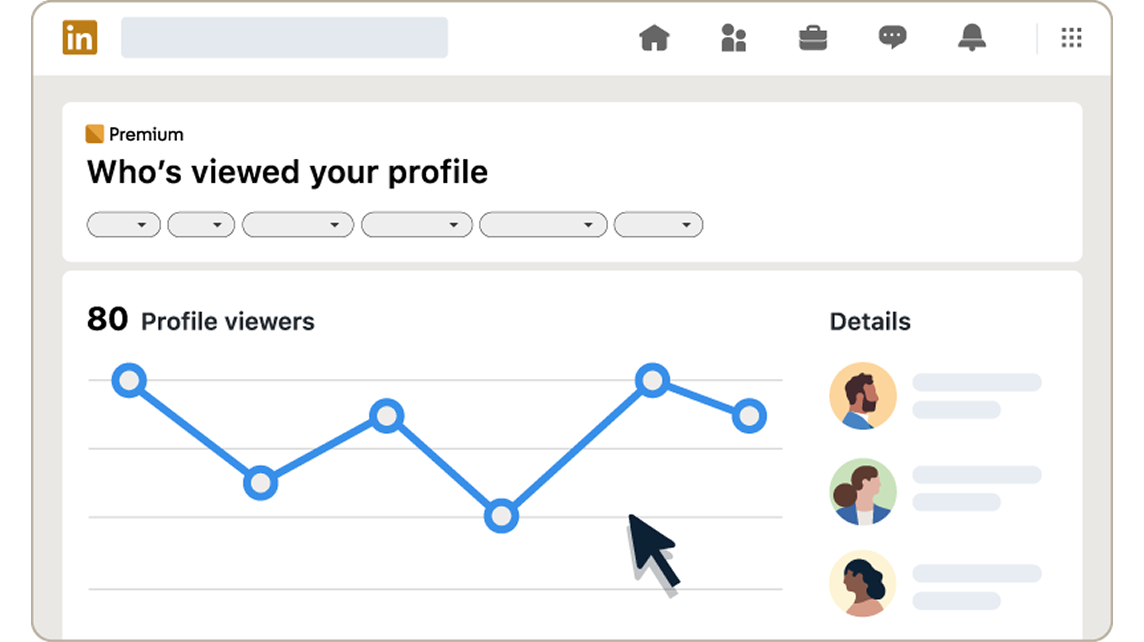
- The full list of viewers for up to 365 days.
- Filters for date range, Interesting viewers, Company and Industry.
- A weekly trend graph of your viewers.
- Most recent and Most relevant tabs, plus a Show more analytics dropdown.
LinkedIn's page on who's viewed your profile features sets the default window at 90 days, extendable to 365.
Every one of those tools works on the viewers who chose to be seen. The private mode rows sit in the same list, still anonymous.
What a free account shows by comparison
Free members get a much shorter window. A basic account shows the three most recent viewers from the last 90 days.
You also get some insights: the number of viewers, where they work, how they found you, and their job titles. There are no filters and no trends.
One condition applies. You only see those names if your own viewing option is set to show your name and headline.
It's a fair trade built into the product: share your identity, and you see others'.
Why your viewer count is higher than the names you see
A common source of confusion is the gap between the count and the list. Your insights show how many people viewed you, but a free list only names the three most recent.
So a free account showing a large viewer count and three names isn't hiding anonymous people from you. Many of the missing rows are ordinary named viewers who fall outside the free window.
That gap is the part Premium fills.
The private mode rows are a separate group, and they stay unnamed however many you can scroll through.
It's worth knowing which gap you're looking at before you decide to pay. One can be closed with an upgrade. The other can't be closed at all.
Can you guess who an anonymous viewer was?
Sometimes you can narrow a semi-private visit down. A viewer shown as working at a specific company, arriving the day after you applied there, is a reasonable guess.
A private mode visit gives you nothing to work with. No company, no title, no location.
Be careful with guessing either way. Timing feels like evidence, but lots of people view profiles for reasons that have nothing to do with you: a search result, a shared post, a mutual connection's comment.
Treat a semi-private clue as a hint, not an identification.
Can you block or unmask a private mode viewer?
No. LinkedIn says you can't block private mode viewers or make them reveal their names.
LinkedIn documents no way to ask for a name and no setting on your side that stops private browsers from seeing you.
If a specific person is bothering you, blocking them by name is the tool for that. It works on a person you can identify, not on an anonymous row in your viewer list.
Do apps and extensions reveal anonymous LinkedIn viewers?
You'll find browser extensions and sites that claim to show who viewed you anonymously. LinkedIn's own position is that private viewers can't be made to reveal their names.
That leaves those tools with two options: they're guessing, or they're selling something that doesn't work.
Some ask you to sign in with your LinkedIn credentials or install software with access to your browser. That's a real risk to your account for a result LinkedIn says can't exist. Skip them.
The private mode trade-off on your own account
The same rules apply when you're the one browsing privately, and they cost you something.
On a basic account, switching yourself to private mode means you can't see who viewed you. LinkedIn switches off your list in return for your anonymity.
Premium softens that. Premium members in private mode still see viewers from the last 90 days.
So if you want to browse anonymously and keep an eye on your own viewers, that's one of the few places where Premium genuinely changes the deal.
How to check which viewing mode you're using
Your own setting decides what you see, so check it before you judge your list.
- Click the Me icon at the top of your LinkedIn homepage.
- Select Settings & Privacy.
- Click Visibility, then open Visibility when viewing other profiles under Visibility of your profile & network.
- Choose Your name and headline, Private profile characteristics, or Private mode.
If your viewer list looks empty on a free account, this is the first place to look. Private mode on your side hides theirs.
Is Premium worth it just to see profile viewers?
Only if the named viewers matter to you. A year of history, company filters and trends are useful to a job seeker tracking recruiter interest, or a seller watching which accounts look them up.
They're not useful if your real goal is to identify the anonymous rows. That goal can't be met on any plan.
A simple test: look at your free list for a few weeks. If the named viewers you do see lead to conversations, more of them may be worth paying for. If you mostly care about the "LinkedIn Member" entries, save the money.
What to do with the viewers you can see
The named viewers are the useful part of the list, on either plan. They've shown mild interest and left their identity on the visit.
A few practical moves:
- Recruiters or hiring managers: a short note referencing the role they hire for is reasonable.
- Potential clients: check their recent posts first, then reach out about something specific.
- Former colleagues: a simple hello often restarts a useful connection.
Don't open with "I saw you viewed my profile." It puts people on the spot. Lead with the reason you'd have written anyway.
Why people browse LinkedIn in private mode
Private mode isn't a sign of anything sinister. Most people who use it have ordinary reasons.
Recruiters research candidates before reaching out. Job seekers look at hiring managers without signaling too early. People check on competitors, former colleagues or a new boss without leaving a trace.
You may do the same yourself. Seen that way, an anonymous row is just someone doing research, and the useful response is to keep your profile ready for whoever it was.
The privacy line Premium doesn't cross
LinkedIn built private mode so that a viewer's choice holds against every plan and every setting you control. Premium extends your view of the people who agreed to be seen, and stops there.
A private mode viewer stays a private mode viewer. No upgrade, filter, extension or guess changes that. Pay for Premium if you want more of the names LinkedIn shows, never for the ones it's promised to hide.
Still wondering who your anonymous viewers are?
Does semi-private mode show more detail on Premium?
No. Semi-private viewers appear by characteristics, such as their company, on both free and Premium accounts. Premium doesn't turn those characteristics into a name.
Will an anonymous viewer ever show up later with their name?
LinkedIn's help pages don't say a past private mode visit is ever converted into a named one. A visit made while someone shows their name and headline appears with their name.
Can a private mode viewer see that I checked my viewer list?
Nothing on LinkedIn's help pages says checking your own list is visible to anyone. It's your own dashboard, not a profile visit.