
How to change your name on Instagram, and your username too
How do you change your name on Instagram? Tap Edit profile, then Name or Username; followers may see a username change.


Your display name takes a few seconds to change. Your username is the one to think twice about, because it changes your profile link, can be reviewed first, and can be claimed by someone else once you let it go.
To change your name on Instagram, go to your profile and tap Edit profile under your bio. Tap the Name field to change your display name, or the Username field to change your @handle.
Your display name updates straight away. A username change may be reviewed first if your account reaches a lot of people, your followers may be notified, and your old handle is free for someone else to claim unless you switch back while it's still available.
Below: the steps for each field, how the name and username differ, and what happens to followers, links and verification when you change them.
Name versus username: two different fields
Instagram profiles carry two names, and they do different jobs.
Your name is the bold display name at the top of your profile. It can include spaces and capital letters, and it can be anything from your full name to "Sourdough bakery | Austin."
Your username is your @handle. It's unique across Instagram, it appears in your profile link, and it's what people type to mention or tag you.
Both are always public. Instagram's page on profile information anyone can see lists your name and username among the details visible to everyone, on or off Instagram, even on a private account.
Knowing which one you want to change saves confusion. Most people who want a fresh look only need a new display name; changing the username has bigger knock-on effects.
How to change your name on Instagram
Instagram's page on changing your profile information gives the quick route:
- Go to your profile by tapping your profile picture in the bottom right.
- Tap Edit profile.
- Tap Name, type your new display name, and tap Done.
The new name appears on your profile straight away.
On a computer, click your profile picture on the left, click Edit profile, update the name, and click Submit.
How to change your username on Instagram
The username sits in the same Edit profile screen:
- Tap Edit profile on your profile.
- Tap Username.
- Type the new handle. Instagram shows whether it's available.
- Tap Done to save it.
Instagram adds two notes.
If your account reaches a lot of people, a username change may need to be reviewed first, and you'll be notified when the review is complete. Otherwise, the username changes immediately if it's available.
And your followers may be notified of the change.
Changing your name through Accounts Center
Instagram is moving account settings into Accounts Center, which it's gradually renaming Meta Account. You can edit your name and username there too:
- Open the menu (three lines) on your profile.
- Tap Accounts Center, then Profiles.
- Tap the profile you want to update.
- Tap the name or username, make your change, and tap Done.
Instagram notes that not everyone can access this setting in Accounts Center yet, so if you don't see it, use Edit profile instead.
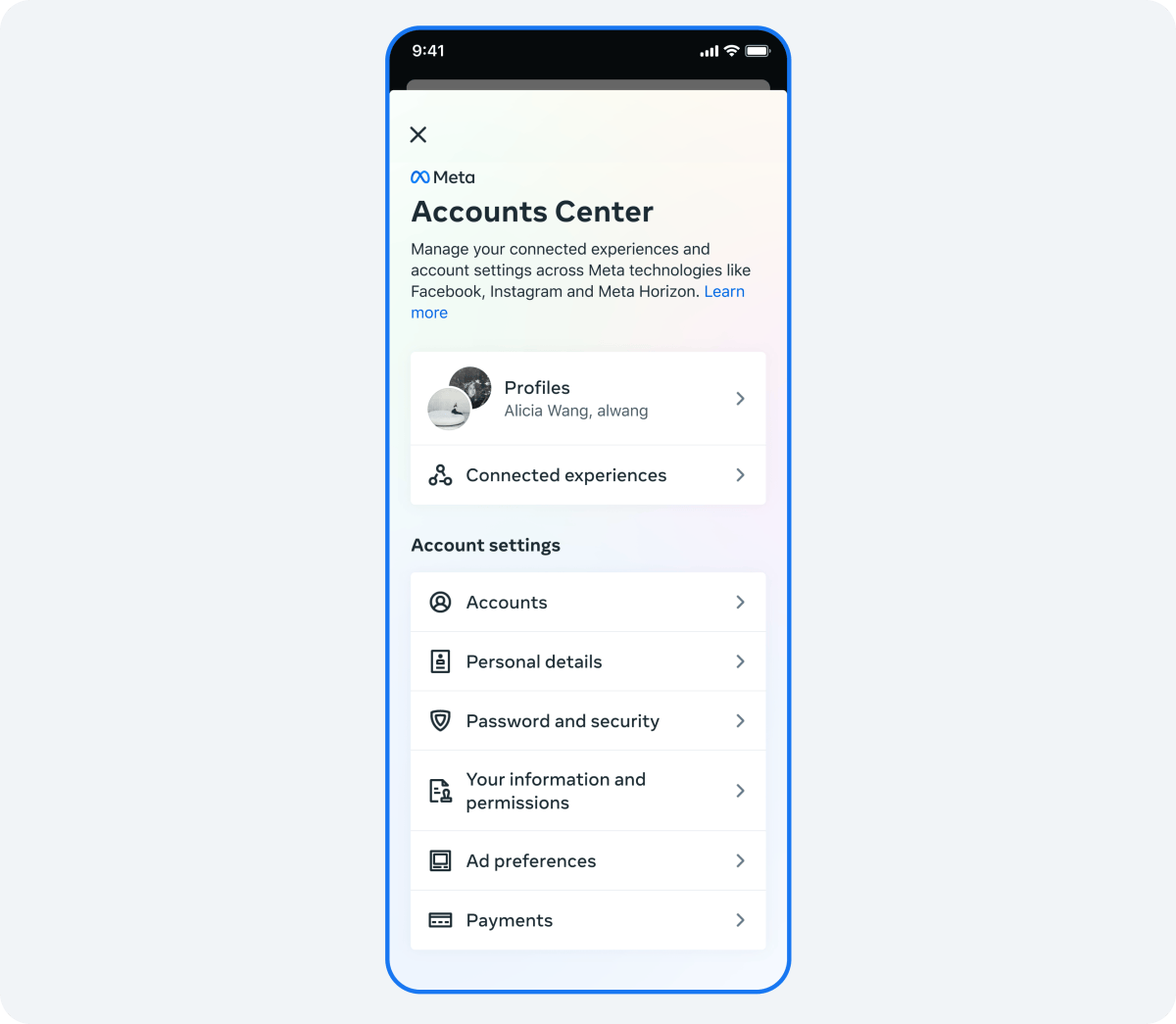
Accounts Center has one extra option: if your Facebook and Instagram accounts are in the same Accounts Center, you can sync your profile info with your Facebook profile. Instagram says matching first and last names across both could help people find you through recommendations.
Switching back to your old username
Display names and usernames behave differently when you change your mind, and it's worth planning around both.
Display name. Instagram's help center doesn't publish a set number of name changes, but settle on the final wording before you start experimenting, especially if you're rebranding. A name that changes every few days makes an account harder to recognize.
Old username. When you change your handle, your old one is released. Until someone else takes it, you can usually switch back; once it's claimed, it's gone.
Instagram's page on switching back to a previous username sets out the conditions.
In most cases, you can change back to a previously used name if it hasn't been taken by someone new. It also mustn't have been recently removed from an active account you don't own.
If you might want your old handle back, decide quickly, before someone else claims it.
What happens when you change your username
A new username changes more than the text on your profile. A few things are worth knowing before you commit.
Links break. Your profile link includes your username. Old links in your email signature, website or other social profiles will point to the old handle, which may later belong to someone else.
Mentions update, printed material doesn't. Instagram tracks your account, not the text, but a handle printed on business cards or packaging won't change with it.
Threads follows Instagram. Instagram's Threads help says that if you created your Threads profile with your Instagram account, your username is the same on both, and you update it by editing your Instagram profile.
Followers may be told. Instagram says your followers may be notified of the change, so a switch isn't entirely silent.
Update your links elsewhere on the same day you change the handle. That keeps the gap short and reduces the chance of someone else grabbing the old name while your links still point to it.
Verified accounts and name changes
Verification adds rules. Instagram's page on requesting a verified badge says that once an account is verified for notability, you may not change its username.
For Meta Verified subscribers, Instagram's subscription page explains that while an application is being reviewed, you may not be able to update your profile name or username, and that after verification, updating your profile name or picture may require going through verification again.
So if you're planning to verify, settle your name and username first.
Changing the private details on your account
People looking to change their name sometimes mean the details behind the profile: email, phone number, birthday or gender. Those live somewhere else, and they aren't public.
Instagram's page on updating personal information explains that your personal information includes your email, phone number, gender and birthday, and that it won't be part of your public profile.
To update it, open the menu on your profile, tap Accounts Center, then Profiles and personal details, and change your contact information or birthday there.
Some accounts reach the same settings from Edit profile, then Personal information settings.
One rule surprises people: Instagram says birthdays need to match across all accounts in an Accounts Center, so changing it on one account changes it for every account there.
Names on business and creator accounts
On a professional account, the display name often carries the business name, and a few other profile elements sit near it. Instagram's page on professional accounts describes a category label shown directly below the profile image, which you can choose to display or hide, and a Contact button with directions, a phone number and an email address.
That gives you room to keep the name itself short. "Maya's Ceramics" as the name, "Artist" as the category, and a contact button do the work that a long, keyword-stuffed name would otherwise try to do.
If you rebrand, change the display name, username, category and any links on the same day, so the profile never looks half-updated.
Choosing a name people can find
Your display name is one of the places people's searches land, so it's worth using well. A few habits:
- Use the name people would actually type to find you: your real name, your business name, or both.
- Add a short descriptor if it helps, such as "Maya Chen | Ceramics."
- Keep the username simple to spell and say out loud, since people will type it from memory.
- Avoid swapping between versions; consistency helps people recognize you.
A clear, stable name does more for discovery than a clever one you change every month.
Won't changing my username lose my followers?
It won't. Your followers follow your account, not your handle, so they stay with you through a username change. Your posts, likes and messages stay too.
What changes is how people reach you from outside Instagram: old links and printed handles. Update those, and a new username costs you nothing but a notification to some followers.
If you're nervous, change only the display name first. It gives most of the fresh look with none of the link problems.
Name and username questions
Why can't I change my Instagram name right now?
Instagram's help center doesn't document a fixed limit, so check the message the app shows when you try. If you're applying for, or already have, Meta Verified, Instagram says some profile details can't be changed while an application is in review, and changes after verification may require verifying again.
Can I use my old username again later?
Often, yes. Instagram says you can usually change back to a previous username if nobody else has taken it and it hasn't recently been removed from an active account you don't own.
Does changing my name notify my followers?
Instagram says followers may be notified when you change your username. It doesn't describe a notification for display name changes.