Blocked on Instagram: how to tell a block from a deleted or hidden account
Blocked on Instagram? Search their handle: a profile that won't load for you but shows up from another account usually means a block.

A profile you used to see has gone blank, or it's missing from search altogether. A block is one cause, but a deactivated account, a deleted one and a new username can look almost the same from where you're standing.
Short answer: search the person's exact handle. If their profile shows "No Posts Yet" and blank follower counts even though a post count appears, or it doesn't show up at all while it's still visible from another account or a logged-out browser, you've been blocked on Instagram. Your old chat stays in your inbox, but you can't message them, and their handle won't link when you mention it. The catch: Instagram never notifies anyone about a block, so every sign is indirect, and the logged-out check is the one that separates a block from a deleted account.
Below, the checks in order, how each look-alike situation differs, and what changes for you after a block.
How to know if someone blocked you on Instagram
No single screen says "you've been blocked." Instagram's page on what happens when you block someone states it plainly: people aren't notified when they're blocked.
So you collect clues. Run these checks in order, because each one narrows the possibilities:
- Search their exact username. Type the full handle into search rather than scrolling your following list, since a block can remove them from lists you'd normally see.
- Open the profile if it appears. A blocked view often shows "No Posts Yet" with blank follower and following counts, even though a post count still shows.
- Check from somewhere else. Look the handle up from a friend's account or a logged-out browser. If the profile loads normally there, the account exists and is hidden only from you.
- Open your old chat. The conversation usually stays in your inbox, but you won't be able to send a new message.
- Try a mention. Type their @handle in a comment. If it won't link to their profile, that fits a block.
Step 3 is the one that decides it.
Everything before it shows that something changed. Only the outside check shows the account still exists for everyone except you.
Blocked, deactivated, deleted or renamed: how each one looks
Several situations make a profile disappear, and they're easy to confuse. The difference shows up when you compare your view with a view from outside your account.
| What happened | From your account | From another account or logged out |
|---|---|---|
| You were blocked | Profile missing or empty | Profile loads normally |
| They deactivated | Profile missing | Profile missing |
| They deleted the account | Profile missing | Profile missing |
| They changed username | Old handle leads nowhere | New handle loads normally |
Deactivation is temporary. Instagram's deactivation page says the account's photos, comments and likes are hidden until the owner logs back in, which means the profile vanishes for everyone, not just you.
A username change is the most common false alarm. The account is fine, it simply lives under a new name now.
Searching their real name, or finding them through a mutual friend's following list, usually turns it up.
If the profile is missing for everyone, it isn't a block.
What changes for you after someone blocks you on Instagram
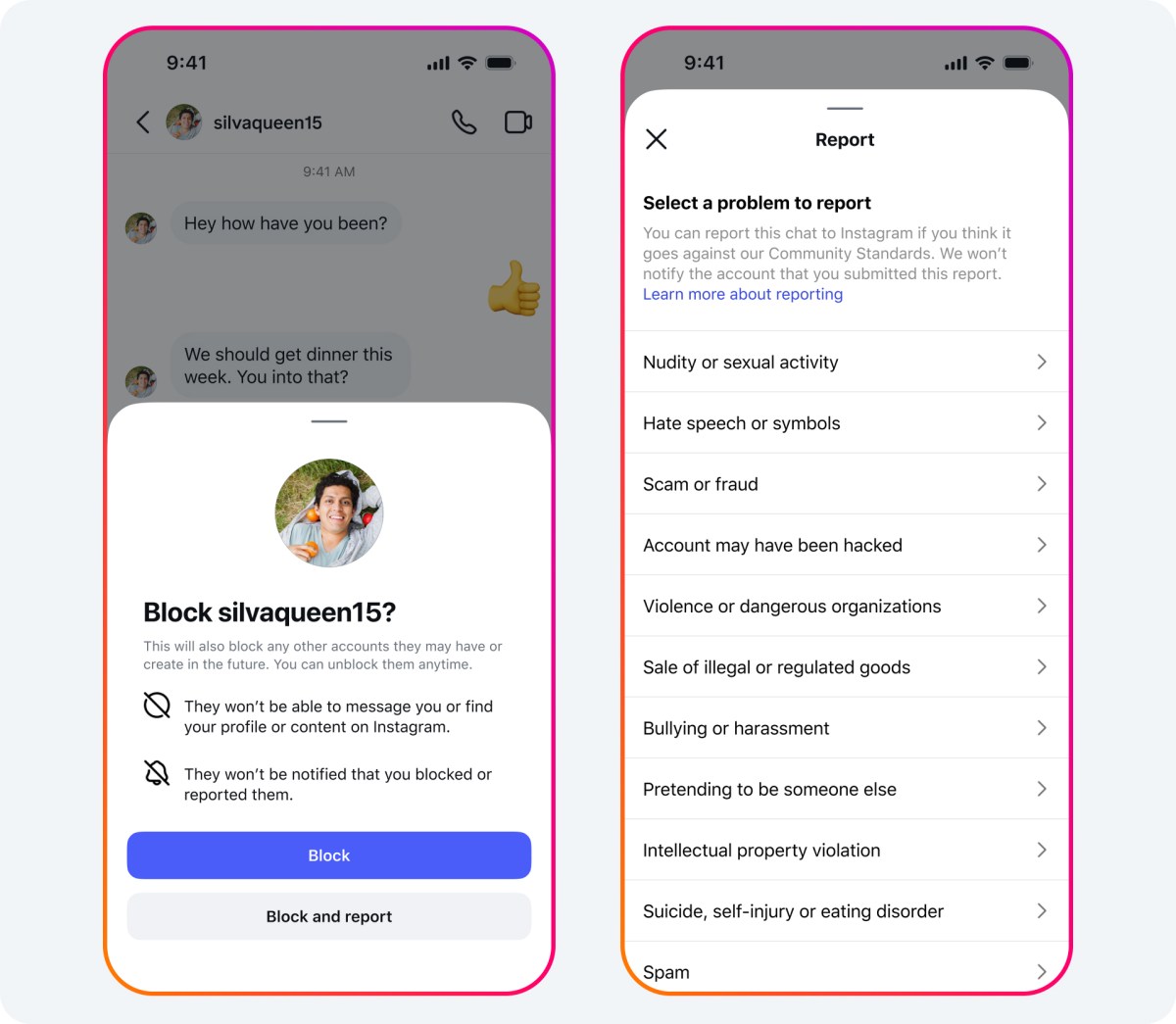
A block works in both directions for your shared history. Instagram lists what happens once the block is in place, and several effects are visible from your side.
Your past likes and comments on their posts are removed, and unblocking won't bring them back. That's why a thread you commented on may suddenly look like you were never there.
Messaging stops. The chat thread stays in your inbox, but you can't send new messages, and anything you try to send while blocked is never delivered, not even if they unblock you later.
A few other effects:
- You can't mention their username or tag them in a post.
- If you're both in a group chat, the person who blocked you chooses whether to stay, and if they do, you'll both still see each other's messages there.
- You can still see their likes and comments on posts from public accounts or accounts you follow.
That last point surprises people. A block hides a profile, not every trace of the person across Instagram.
Removed as a follower, not blocked
Sometimes the change is smaller than a block. If the person has a private account, they can remove you from their followers without blocking you, and Instagram's page on removing a follower confirms they aren't notified either way.
The signs are different, though. After a removal:
- Their profile still appears in search and still shows their follower and following counts.
- Their posts are hidden, because you're no longer an approved follower.
- The button on their profile says Follow again, and you can send a new request.
After a block, you usually can't find the profile at all, and you can't follow it.
So if the profile loads and only the posts are gone, you were most likely removed rather than blocked. The person may still accept a new follow request, which is never an option after a block.
When only their stories disappear
A quieter change looks like a partial block. You can still open the profile and see every post, but their stories never show up in your tray anymore.
That usually means they hid their story from you. Instagram's page on hiding your story from someone describes it as a setting that stops chosen people from seeing anything the account adds to its story from then on.
It's a narrow setting. Instagram points out that hiding a story is different from blocking and doesn't stop the person from seeing the profile and posts.
So the pattern to look for:
- Posts, follower counts and the Follow or Following button all look normal.
- The ring around their profile picture never lights up for you.
- Friends mention stories you've never seen.
If that matches, you haven't been blocked. Their story is simply set to skip you, and they can reverse it at any time.
When nothing looks different at all: a restriction
A restriction is the one change you usually can't see. Instagram's page on restricting someone explains that a restricted person's new comments on the account's posts are visible only to that person, unless the account owner approves them.
Your messages to them move to their Message requests, and you can't see when they're online or whether they've read what you sent.
From your side, the profile, posts and stories all look normal. The only hint is indirect: comments you leave never seem to get replies or likes from anyone else, because nobody else can see them.
That's the design. Restrict exists so people can step back from an interaction without the confrontation of a block, so it gives you nothing definite to check.
Blocks that cover more than one account
Instagram gives the person blocking you two options: block just that one account, or also block other accounts you already have and any new ones you create. That choice decides whether an Instagram block covers all your accounts.
In newer versions of the app, there may be no choice at all. Instagram's page on blocking someone says a block made from the Instagram app covers the account, other existing accounts the person may have, and any new accounts they create.
If the wider block applies, a second account of yours may show the same blank profile. If it loads normally from your second account, they blocked only your main one.
Instagram also notes that the wider option doesn't apply to other accounts of yours that the person already follows. Those would need to be blocked separately.
Why "who blocked me" apps aren't worth the risk
Apps that promise to list everyone who blocked you usually ask for your Instagram login. Instagram's help center warns against giving your login details to non-Instagram apps, because they can gain complete access to your account, including your messages.
They also can't know more than you can see yourself. Instagram doesn't publish a list of blocks, so any app is running the same indirect checks you can run by hand, with your password in its hands.
The manual checks above tell you everything any app could, without handing over your account.
What to do next, depending on what you found
Once you know which situation you're in, the next step is usually clear:
- If the profile is missing only for you: you've been blocked. Instagram gives you no way to message them or ask why, so the kindest move is usually to let it be.
- If the profile is missing for everyone: they deactivated or deleted the account. Wait a while and search again, since a deactivated account returns the moment its owner logs back in.
- If the profile loads but the posts are gone: you were removed as a follower. You can send a new follow request.
- If the old handle leads nowhere but their name still shows up: they changed their username. Follow the new handle.
Whichever it is, nothing on your own account is broken. Every one of these changes happened on their side.
Still wondering if you were blocked on Instagram?
If they unblock me, will my old comments come back?
No. Instagram says unblocking someone doesn't restore the likes and comments that were removed when the block happened.
Will messages I sent while blocked arrive if they unblock me later?
No. Messages sent to someone who has blocked you aren't delivered, and they aren't delivered later if the block is lifted.
Does a block also remove me from their followers?
Yes. Instagram describes blocking as one way to make someone stop following you, so the block ends your follow along with the messaging and tagging.