Add keywords to Google My Business the way local search reads them
Add keywords to Google My Business by matching each phrase to the field that carries it: category, services, description or posts.

Owners usually arrive at this question with a list of phrases and nowhere obvious to put them.
The profile offers a name box, a category picker and a description, none of which behave like the keyword fields people expect.
You add keywords to Google My Business by matching each phrase to the field built to carry it.Category picker: the one phrase that names what the business is.Services and products: the specific things customers ask for by name.Description: service area and what makes the business different, in sentences.Updates: anything seasonal, local or too specific for a permanent field.Business name: nothing, ever.
The walkthrough below covers how to choose the phrases, which field each one belongs in, and how to check afterwards whether anything moved.
Why a keyword list has nowhere to go on a Google My Business profile
A Business Profile is not a web page with a meta keywords tag. It is a record of structured facts, and Google matches queries against those facts.
Google's help on improving your local ranking describes three inputs: relevance, distance and prominence.
Relevance is "how well a Business Profile matches what someone is searching for," and the page's practical advice is to "enter complete data" so that Google can match the business to the right searches.
Read that carefully and the strategy writes itself.
You are not inserting keywords. You are completing a record accurately enough that Google can match it, then keeping it current.
That reframing is also why two businesses with identical phrase lists rank differently. One filled in the record; the other filled in the name box.
Start with the phrases customers actually use
Skip the keyword tools for an hour and start with your own evidence.
Write down the exact words people use when they call, message or walk in.
A mobile dog groomer hears "dog grooming at home" far more often than "mobile pet care services," and only one of those belongs anywhere near the profile.
Then sort the list into three piles:
- Identity phrases: what the business fundamentally is, usually one or two terms.
- Service phrases: the specific jobs customers ask for by name.
- Situation phrases: seasonal, local or one-off language that will be stale in a month.
Those three piles map cleanly onto three different parts of the profile, which is the entire method.
A phrase in the wrong pile ends up in the wrong field, and a phrase in the wrong field does nothing.
Match each phrase to the field that can carry it
Identity phrases go to the category picker
Your primary category is the strongest single statement on the profile. Google's guidance on managing your business category says to "select a primary category that best describes your business."
It also tells you to choose the specific option, its example being "Nail salon" rather than "Salon."
You cannot write your own category, so this is a matching exercise rather than a writing one. Find the listed category closest to your identity phrase and take it.
Additional categories exist for real departments, not for phrase coverage. Google's own instruction is not to "select a category for every product or service," and its representation guidelines say not to use categories "solely as keywords."
Service phrases go to the services list
The services list is the most underused keyword space on a Business Profile. Google documents adding services from a list tied to your category, plus custom services for anything that list misses.
The services documentation notes that policy-breaking custom services are rejected automatically, and that names should not contain prices, phone numbers, personal details or gibberish.
Name each service the way a customer would ask for it and stop there.
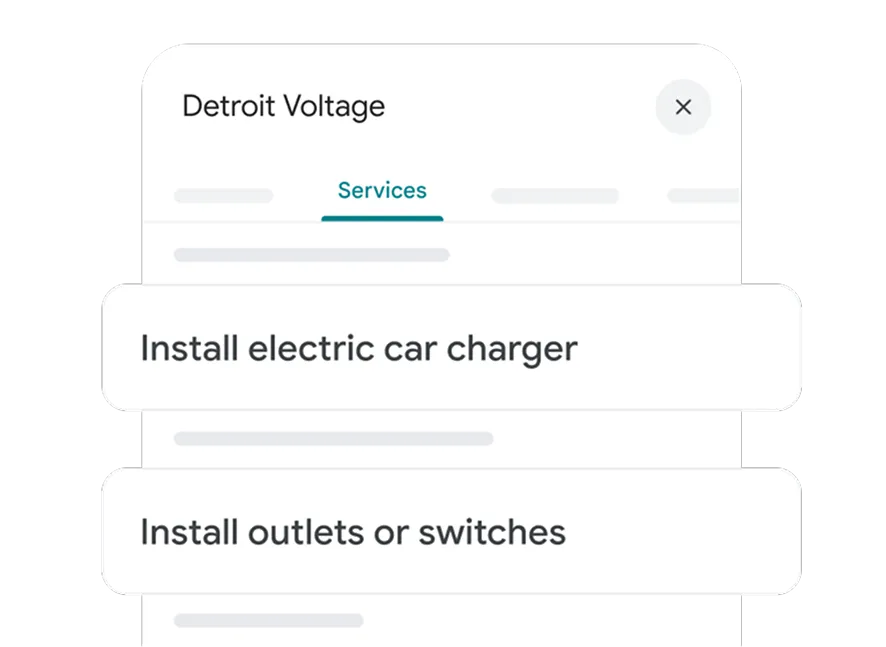
A physiotherapy clinic that treats sports injuries gains more from a service named "sports injury rehabilitation" than from working that phrase into a paragraph nobody scrolls to.
Context phrases go to the description
The description is where service area, specialisms and history live, written as sentences rather than a list. Google's page on managing your Business Profile description describes it as information that helps customers "learn more about your business, such as what you do and what makes your business unique."
Google also offers a Suggest description option that drafts one from information already on the profile, with instructions to review it for accuracy before saving. Treat that draft as raw material, not as a finished description.
Situation phrases go into updates
Anything tied to a season, a promotion or a single neighborhood belongs in a post rather than in a permanent field. That keeps the fixed record clean and gives the temporary language somewhere real to live.
One sorted list, mapped end to end
A single example makes the method concrete. Take an independent bike shop that also repairs e-bikes and hires out bikes in summer.
The owner's phrase list, taken from what customers actually ask, sorts like this:
- "bike shop" is the identity phrase, so it becomes the primary category.
- "bike repair" and "electric bike repair" are service phrases, so they become services.
- "bike hire" is a service the shop runs seasonally, so it becomes a service and a recurring update.
- "puncture repair while you wait" is situation language, so it lives in posts.
- "bike shop near the canal path" is a landmark phrase, so one sentence of the description carries it.
Notice that nothing was invented and nothing was repeated. Each phrase went to exactly one field, chosen by what kind of phrase it is rather than by how much search volume it carries.
That last point is where most keyword lists fall apart. A high-volume phrase in the wrong field performs worse than a modest phrase in the right one, because Google is matching a record, not scanning a page for repetitions.
How to add keywords to Google My Business, field by field
When you add keywords to Google My Business, do the categories first, since your category selection changes which services Google offers you.
Set the record straight
- Sign in to the Google Account linked to the profile, then open the profile on Google Search or in the Google Maps app.
- Select Edit profile and choose Edit beside "Business category."
- Enter your identity phrase in the "Primary category" box and pick the matching option Google shows.
- Add secondary categories only for departments you genuinely operate, then save.
Google's category help warns that adding or editing a category may mean "you might be asked to verify your business again," so treat this as a considered change rather than a weekly test.
Fill the fields that hold your language
- Choose Edit services on the profile and add every listed service you offer.
- Add custom services for the gaps, named in your customers' words.
- Open Edit profile, choose Edit beside "Description," and write two to four sentences covering what you do, who you serve and where.
- Read the description aloud, then delete anything that sounds like a list rather than a sentence.
- Save, then view the profile signed out to see what a customer actually sees.
Ecommerce sellers with a physical location have a second layer to think about here, since product language and local language pull in different directions.
The phrases that have no field, and what to do with them
Every list has leftovers. Phrases like "open late on Sundays," "emergency callout in the north of the city" or "free quote before Christmas" describe real demand and fit no permanent field on the profile.
Posts absorb all of them.
Google documents Update, Offer and Event formats, along with a "Schedule this post" option and a "Repeats" setting for weekly, monthly or custom intervals, so the leftovers can go out on a rhythm instead of in a burst.
One detail matters for planning. Google documents that posts older than six months are archived unless a date range is set, which means the language in your updates ages out while the language in your categories does not.
Event language is the clearest example of a phrase with a shelf life.
How to tell whether any of it worked
Do not judge from your own searches. You are signed in, you are standing at the business, and Google's ranking model counts distance, so your view is the least representative one available.
Watch three things instead over several weeks:
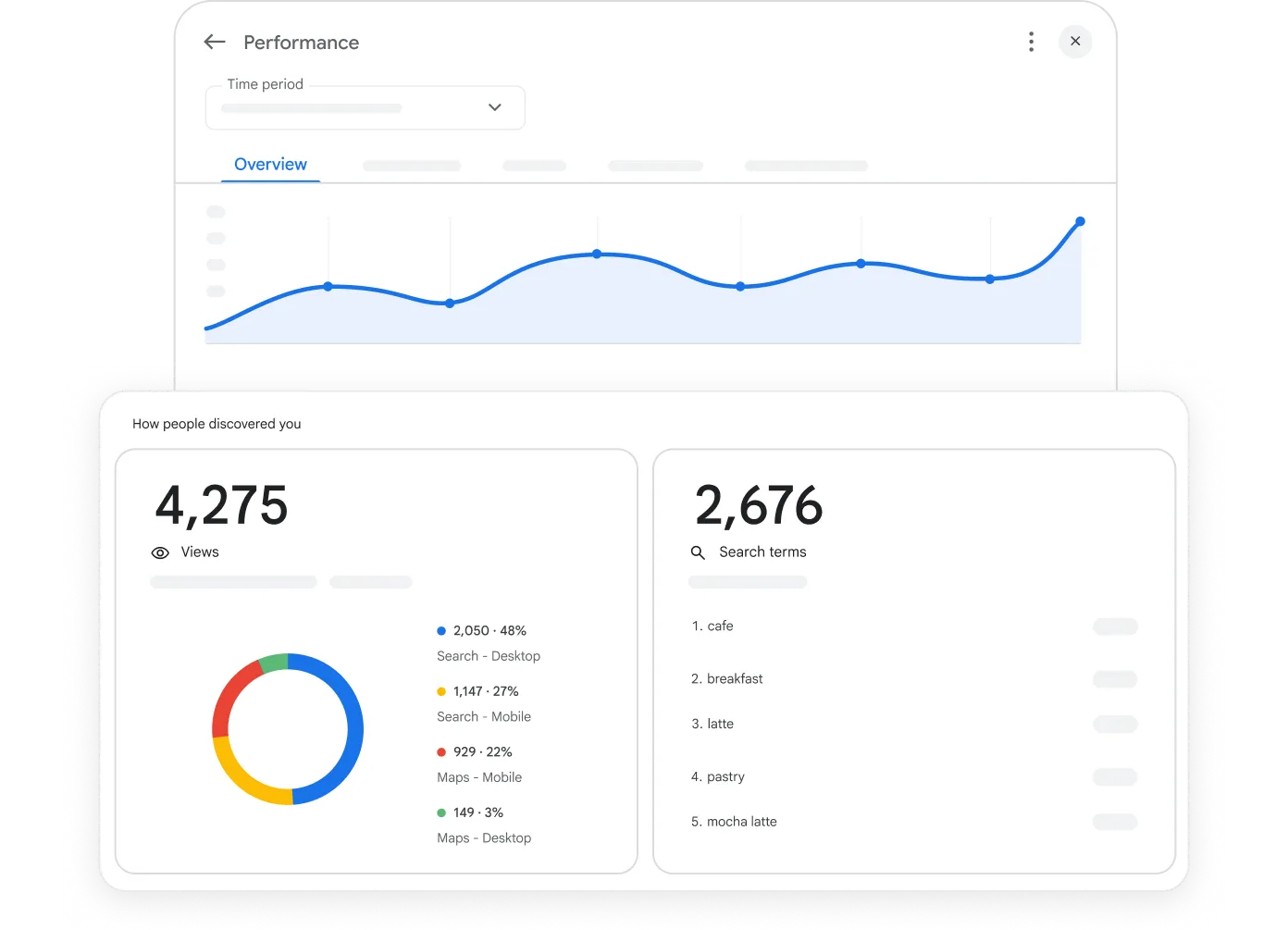
- Which search terms bring up the profile, as reported in the profile's own performance data.
- Whether calls and direction requests move, not just impressions.
- Whether the phrases you added to services appear in what customers ask about.
Give it weeks rather than days.
Category and description edits settle, get re-crawled and then show up, and a change measured on day two tells you nothing.
Audience growth compounds slowly in local search for the same reason.
Questions about keywords on a Google My Business listing
Is there a keyword limit on the description?
Google publishes guidance on what the description should contain rather than a keyword count. Write for a customer reading it under "From the business," and the count takes care of itself.
Can I add keywords to my business name?
No. Google's representation guidelines state that the name must not include marketing taglines, store codes, hours, phone numbers or service and product information, and that "including unnecessary information in your business name isn't permitted."
Should I add a keyword-rich service for every phrase on my list?
No. Services should name work you actually perform. A list padded with near-duplicates makes the profile harder to read and gives Google nothing it did not already have from the accurate entries.
What about keywords in reviews and questions?
You do not control either one. Ask customers for reviews by all means, but scripting the wording pushes you toward Google's rules on incentivized and fake contributions, and a staged question reads as staged to everyone who sees it.
Give it a month, then judge it
Block one hour this week for the categories and the services list, because those two carry the most weight and take the least time.
Spend a second hour on the description, and leave it alone afterwards.
Then put the leftover phrases into a posting rhythm you can hold for a month. That is long enough for edits to settle and for the profile's own performance data to show whether the phrases you picked match the searches you are being found for.
If they do not, change the phrases rather than the fields. The record was never the problem.