How to Use Google Search Console for Keyword Research
Mine your own Google Search Console query data for real, already validated keyword opportunities, content gaps, and striking distance pages worth a rewrite.


Most keyword research starts the same way: open a third-party tool, type in a seed term, and get back a list of estimated monthly searches, a difficulty score, and a pile of "related keywords" generated from sampled clickstream data and modeling. It's useful. It's also, by definition, a guess about what might work for your site, based on averages across many sites.
Google Search Console (GSC) does something different, and most people never use it for this purpose. It doesn't estimate what people search for. It tells you, with a fair amount of precision, what people already typed into Google that resulted in your specific pages showing up, and whether they clicked. That's not modeled data. That's your site's actual search history. And sitting inside the Performance report, largely ignored past the first glance at the total clicks graph, is a keyword research dataset most sites are sitting on and not mining.
📢 SEO Professional’s Tests Suggest Google Search Console Misses Search Queries
Why GSC Query Data Is Different From What a Keyword Tool Gives You
Third-party keyword tools work by sampling clickstream panels, scraping autocomplete and "people also ask" data, and running statistical models to estimate search volume for a term. That's a reasonable approach for discovering new topics you haven't touched yet, but the volume numbers are approximations, and the "difficulty" scores are proxies built from backlink and domain metrics, not from Google's actual ranking algorithm.
GSC's Queries dimension, by contrast, is first-party data straight from Google's own logs: the literal search strings that triggered an impression of one of your pages in Google Search results, plus whether that impression turned into a click, plus the average position your page held for that query. There's no modeling step. If a query shows up in your Queries report, it's because Google served your URL for that exact search at least once during the date range.
That reliability comes with two real limits, and it's worth being upfront about both:
Low-volume queries get filtered. For privacy reasons, Google doesn't show individual query strings that are searched too rarely or that could identify a specific searcher. Those impressions still count toward your totals, but the query text itself is anonymized and won't appear as a discrete row. This means your Queries report is comprehensive for anything with meaningful volume, but not a complete list of every single search string that ever surfaced your site.
There's no competitor data. GSC only ever shows data for properties you've verified ownership of. You cannot pull up a competitor's domain and see their queries, their impressions, or their rankings, full stop. If competitive gap analysis (finding keywords a competitor ranks for that you don't) is part of your process, that still requires a third-party tool. GSC tells you what's true about your own site; it has nothing to say about anyone else's.
With those two caveats understood, GSC becomes less of a reporting dashboard and more of a keyword opportunity list that's already been validated by the algorithm.
The Walkthrough: Mining Queries and Pages for Real Opportunities
Here's the mechanical process, step by step.
Step 1: Set the right filters before you look at anything
Open the Performance report in Search Console. By default it may include Search, Image, and Video results blended together. Click the Search type dropdown and set it to Web first, this isolates standard organic search results and keeps the numbers clean while you get oriented. Set your date range to at least the last 3 months, or better, the last 12 months if the property has enough history, since a single month can be skewed by seasonality or a single viral post.
Step 2: Sort the Queries tab by impressions, not clicks
Click into the Queries tab (below the chart) and sort by Impressions descending. Impressions matter more than clicks at this stage because impressions tell you Google already considers your page relevant enough to show for that query, regardless of whether searchers clicked. A query with 4,000 impressions and 12 clicks is a much bigger opportunity than a query with 50 impressions and 10 clicks, even though the second one has a better click-through rate, because the ceiling on the first one is dramatically higher.
Scan the top 50 to 100 rows for two patterns:
- High impressions, low position (below roughly 10): the query has real demand and Google is already showing you for it, just not prominently. This is your highest-leverage list.
- High impressions, low CTR relative to position: if you're sitting in position 4-6 with a CTR well below what that position typically earns, your title tag or meta description likely isn't compelling enough for that specific query, even though the ranking itself is fine.
Step 3: Cross-reference with the Pages tab to find content gaps
Switch to the Pages tab. For any high-impression query you flagged in Step 2, go back to the Queries tab, click that individual query to filter the whole report by it, then switch to Pages while the filter is active. This shows you exactly which URL is picking up impressions for that query.
Two outcomes are worth acting on:
- The wrong page is ranking. If a query is clearly about a specific subtopic but the page absorbing the impressions is your homepage, a category page, or a loosely related article, that's a content gap. Google is doing its best to match intent with what exists on your site, but nothing you've published directly answers that query. That's a strong signal to build a dedicated page or section targeting it explicitly.
- No page is ranking well at all. If impressions are moderate and there is no clearly relevant page absorbing them, that confirms the gap rather than just a mismatch.
Step 4: Hunt for page 2 opportunities specifically
Filter or sort the Queries tab by Position, and look for queries sitting roughly between position 11 and 20 that still carry real impression volume. These are the cheapest wins available in the entire report. A brand-new keyword with zero ranking history has to earn trust from nothing. A query where you're already at position 14 has already been judged relevant enough by Google to appear on page 2, it just needs a push, whether that's a stronger title tag, added depth in the content, better internal linking, or a couple of fresh backlinks. Prioritize these over greenfield keyword targets when you're deciding what to work on first.
Step 5: Open individual pages to surface long-tail phrasing
Go to the Pages tab, click into a specific URL you care about (a cornerstone article, a landing page, a category page), and the report automatically filters to show every query that page currently ranks for. This is often the most useful screen in the entire tool for content refinement, because it surfaces phrasing you didn't deliberately target. You'll frequently find variants, question forms, or adjacent terms ("how to," "vs," "for beginners," a specific tool or brand name) that are already pulling impressions. Those are natural candidates for an FAQ section, a new H2, or a rewritten intro paragraph that explicitly addresses the phrasing Google already associates with the page.
Practical Tips and Edge Cases
Separate branded from non-branded performance. Use the Custom (regex) filter option on the Queries tab to exclude your brand name, something like ^(?!.*yourbrand).*$ as a "query does not contain" filter, isolates non-branded queries. This matters because branded queries (people searching your company name directly) inflate your totals but don't represent new-audience keyword opportunity. Non-branded queries are the ones that reflect actual topical reach.
Segment by device. The same query can behave very differently on mobile versus desktop. Use the Device filter to split results. A query that performs well on desktop but has a much lower position on mobile might point to a page speed or mobile-usability issue suppressing an otherwise-earned ranking, worth checking against Core Web Vitals data.
Segment by country. If your site serves multiple regions, the Country filter can reveal that a query performs strongly in one market and barely registers in another, which is often a signal for localized content or hreflang adjustments rather than a content gap at all.
Check the Search type dropdown beyond Web. Switching Search type to Image or Video shows you whether a page is picking up impressions through Google Images or Video results specifically. If a product or blog page is getting meaningful image-search impressions, that's a distinct keyword angle, and one that usually means alt text and image file naming deserve attention.
Combine GSC with a traditional keyword tool. GSC tells you what's already working and where the gaps are on your own site. It doesn't tell you the total addressable search volume for a query, and it can't show you what a competitor ranks for. The efficient workflow is to use GSC to generate a validated shortlist of real opportunities, then run that shortlist through a keyword tool to check approximate volume and see what competitors are doing for the same terms before committing writing time.
The Same Logic Now Applies to Your Social Content
Google Search Console added a new property type in July 2026: platform properties. When you register a new property in GSC, alongside the usual URL-prefix or domain options, you can now choose Instagram, TikTok, X, or YouTube as the property type, and track how content on those platforms performs specifically in Google Search and Discover.
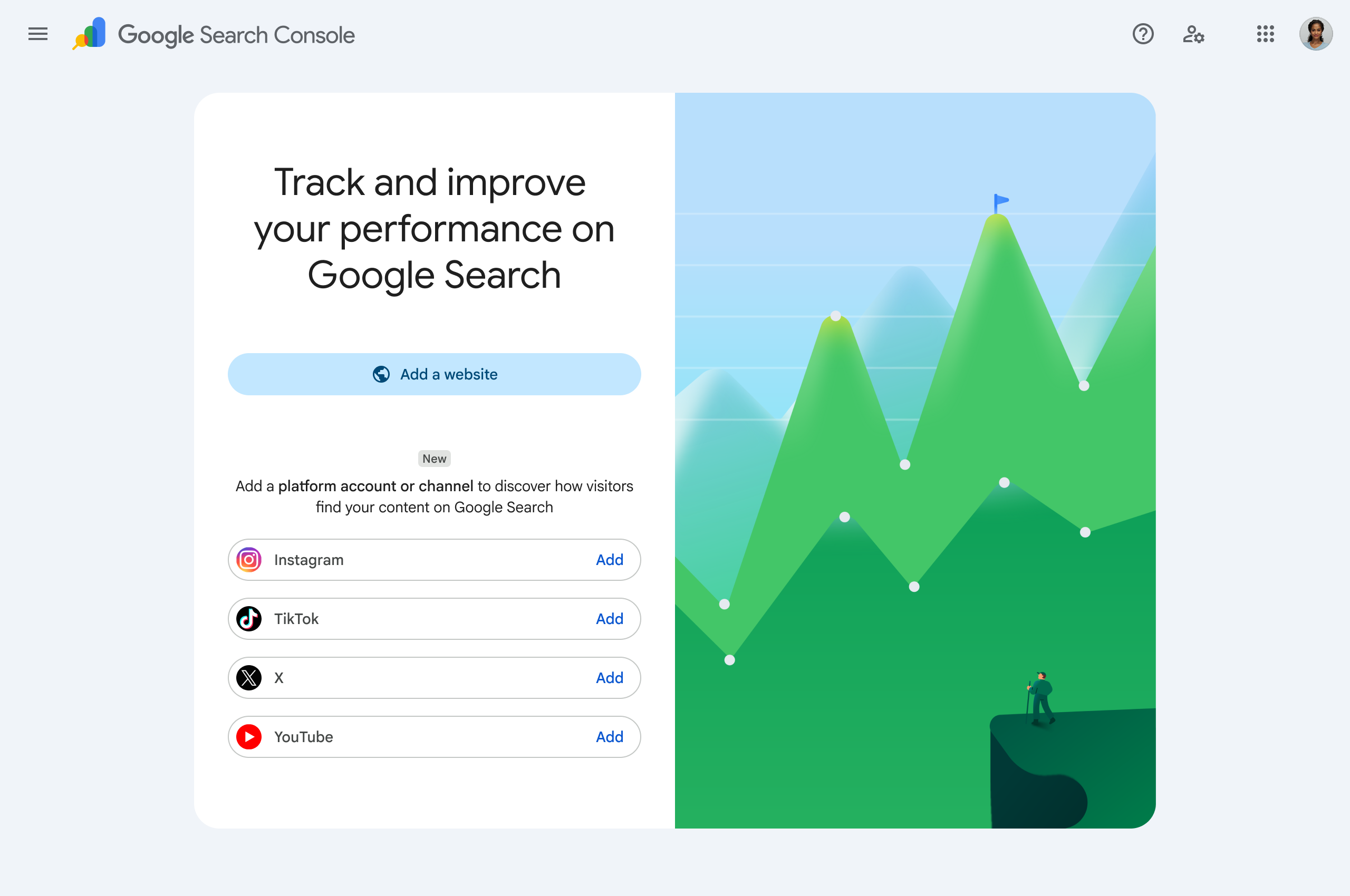
This is a meaningful shift for how keyword research should be thought about, not just a new report. Google is stating outright that Search and Discover already surface social and video content, and it's now giving creators and brands a first-party way to measure it with the same tool they use for their website. That means the entire query-mining workflow described above, sort by impressions, check position, filter branded versus non-branded, segment by device and country, isn't limited to your website anymore. It extends to an Instagram profile, a TikTok account, an X account, or a YouTube channel, once that account is verified as a GSC property.
Practically, this opens a keyword research surface that didn't exist before: the actual search and Discover queries that are pulling your social posts, threads, and videos into Google, separate from platform-native discovery. A thread that's been quietly earning impressions from a specific Google query is exactly the kind of signal that used to be invisible.
Once that signal exists, the question becomes what to do with it, and that's where the topic and content side of the workflow matters. Circleboom's Interest Cloud analyzes the interest topics of an X account's audience based on follower bios, profiles, and posts, which is a useful cross-check against whatever query patterns show up in GSC: does the topic pulling in Search impressions actually match what the account's audience cares about. The Inspiration feed, which surfaces trending content filtered by interest topic, is a natural next stop for finding angles on a validated topic before committing to a post. And once a topic or phrasing is worth acting on, Circleboom's AI content tools, Generate My Next Post and Get a Post Idea, turn that into a draft, which can then be scheduled through the X Post Planner and, through Circleboom's broader scheduling and automation tools, published across Instagram, TikTok, and YouTube as well.
The underlying discipline doesn't change: find what's already earning impressions in Google's results, then build more of it deliberately instead of by accident. GSC just made that discipline possible for social and video content, not only for websites.
FAQ
Does Google Search Console show exact search volume like a keyword tool does? No. GSC shows impressions and clicks for the queries that actually triggered your pages in results, which is a real count for your site, not a general search volume estimate for the term across the web. A keyword tool is still the right source for total addressable volume.
Why do some queries show as "(other)" or don't appear individually in the Queries report? Google anonymizes and aggregates very low-volume or potentially identifying queries for privacy reasons. Those impressions are counted in your totals but not broken out as individual rows.
Can I see which keywords a competitor ranks for using GSC? No. GSC only shows data for properties you've verified ownership of. There is no competitor-lookup feature in the tool; that requires a third-party keyword or SEO tool.
What's the fastest way to find quick-win keywords in GSC? Sort the Queries tab by impressions, then look at position. Queries with real impression volume sitting around position 11 to 20 are typically the lowest-effort wins, since Google already treats the page as relevant, it just needs reinforcement.
How do platform properties in GSC differ from a regular website property? Instead of verifying a URL prefix or domain, you verify an Instagram, TikTok, X, or YouTube account, and GSC reports on how that account's content performs specifically in Google Search and Discover results, using the same Performance report structure (queries, impressions, clicks, position) as a website property.
Should I stop using third-party keyword tools if I have GSC? No. GSC is best for validating and expanding what's already working and for spotting content gaps on pages you own. Third-party tools are still needed for total volume estimates, brand-new topic discovery where you have zero existing ranking signal, and any competitor analysis.
Next Step
Open Search Console, go to the Performance report, sort Queries by impressions, and pull the top 20 rows where your position is worse than 10. That single list is usually enough to fill a month of content updates and new pages with keywords Google has already told you it wants to show you for.